
Metadata

Your own data on every link

Attach your own data to every link — client, campaign, channel, whatever you track — and find, filter and organise your whole library by it. Your structure, on your links.

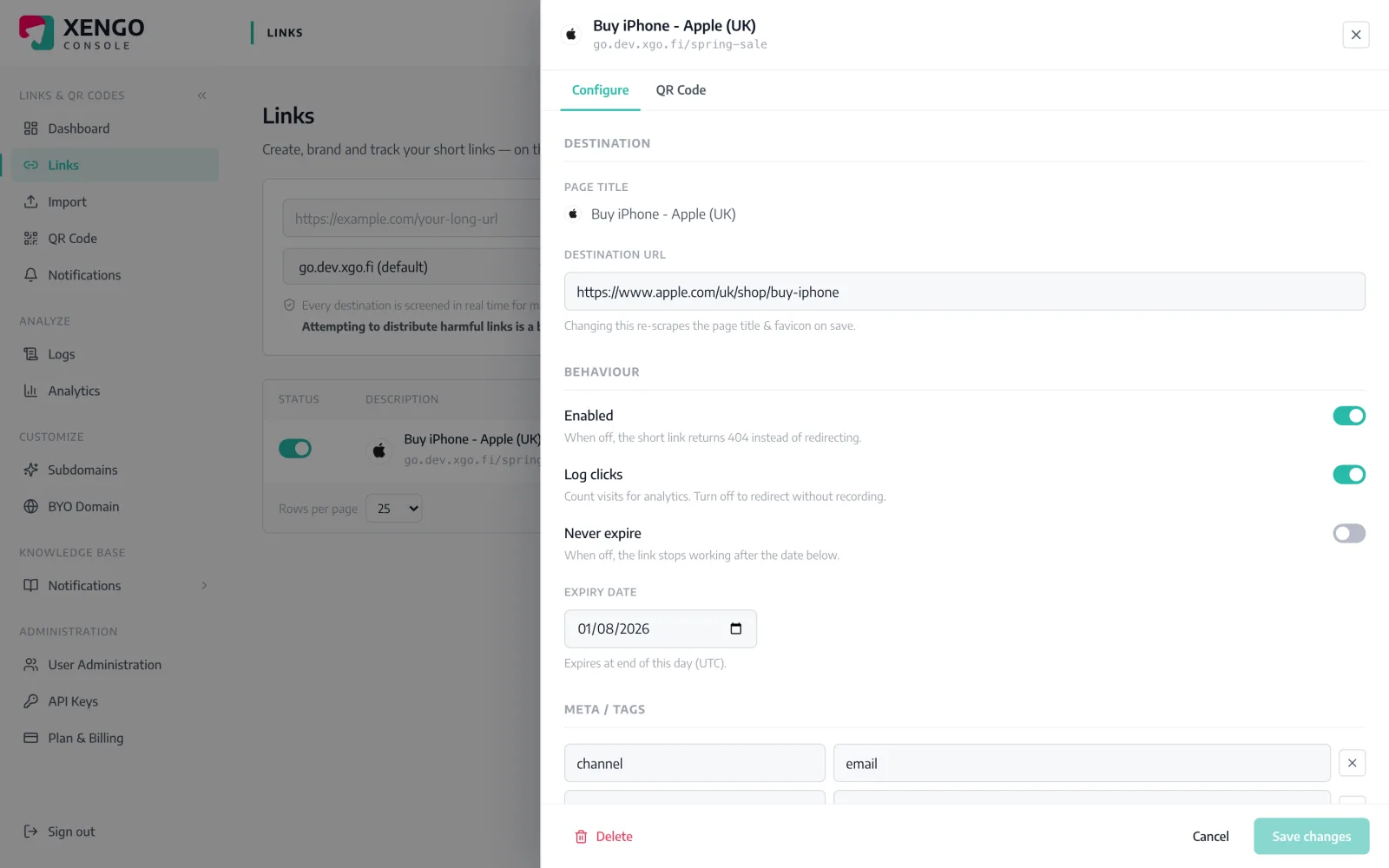
Your own data on every link in the xengo console
Your data

Your links, labelled your way

A link is more useful when it carries your own context. Add free-form key/value tags to any link — client: acme, campaign: spring, channel: newsletter — and xengo also captures the destination's own title and description when you create it. Then search and filter your entire library by the data that matters to you, so the right links are never more than a query away.

  1. 1

    Tag it

    Add your own key/value pairs to any link in the drawer.

  2. 2

    Capture it

    The destination's title and description are pulled in automatically on create.

  3. 3

    Find it

    Search and filter your whole library by your own tags, any time.

Your own key/value tags

Add as many key/value pairs as a link needs — client, campaign, region, owner, cost code, anything you track. It's free-form, so the structure is yours, and it travels with the link wherever it lives.

  • Free-form key/value tags on any link
  • Client, campaign, channel — your fields
  • Structure your library your own way

Tag hundreds at once

Bring tags in with a bulk import and label a whole batch of links as you create them, instead of editing one at a time. A full campaign or client set lands pre-organised from the first row.

  • Apply tags in a bulk CSV import
  • Whole batches labelled on creation
  • No one-by-one tagging afterward

Find and report fast

Search and filter your whole link library by your own tags to pull up exactly the set you need, then open any link's honest, bot-filtered numbers. Your data is the index into everything you've built.

  • Search and filter your library by your tags
  • Jump straight to the links that matter
  • Open any tagged link's real numbers

Everything you'd expect — and the parts you wouldn't

Free-form tags

Unlimited key/value pairs on any link.

Auto-captured details

Destination title and description pulled in on create.

Library-wide search

Find and filter every link by your own tags.

Bulk tagging

Apply tags across a batch via CSV import.

Deep-link to numbers

Open any tagged link's bot-filtered analytics.

Every tier

Tags and metadata are included from the entry tier.

Frequently asked questions

Can I add my own data to a link?

Yes — attach free-form key/value tags like 'client: acme' or 'campaign: spring' to any link, with as many pairs as you need.

Can I organise links by campaign or client?

Yes — tag links your own way, then search and filter your entire library by those tags to find any set fast.

Does xengo capture the destination's details?

Yes — the destination's title and description are pulled in automatically when you create a link.

Can I tag links in bulk?

Yes — apply tags during a CSV bulk import, so a whole batch lands pre-organised instead of being edited one by one.

Is tagging available on every plan?

Yes — tags and link metadata are included from the entry tier.

Put your structure on your links

Tag your first links and filter your whole library by your own data. Start free.