
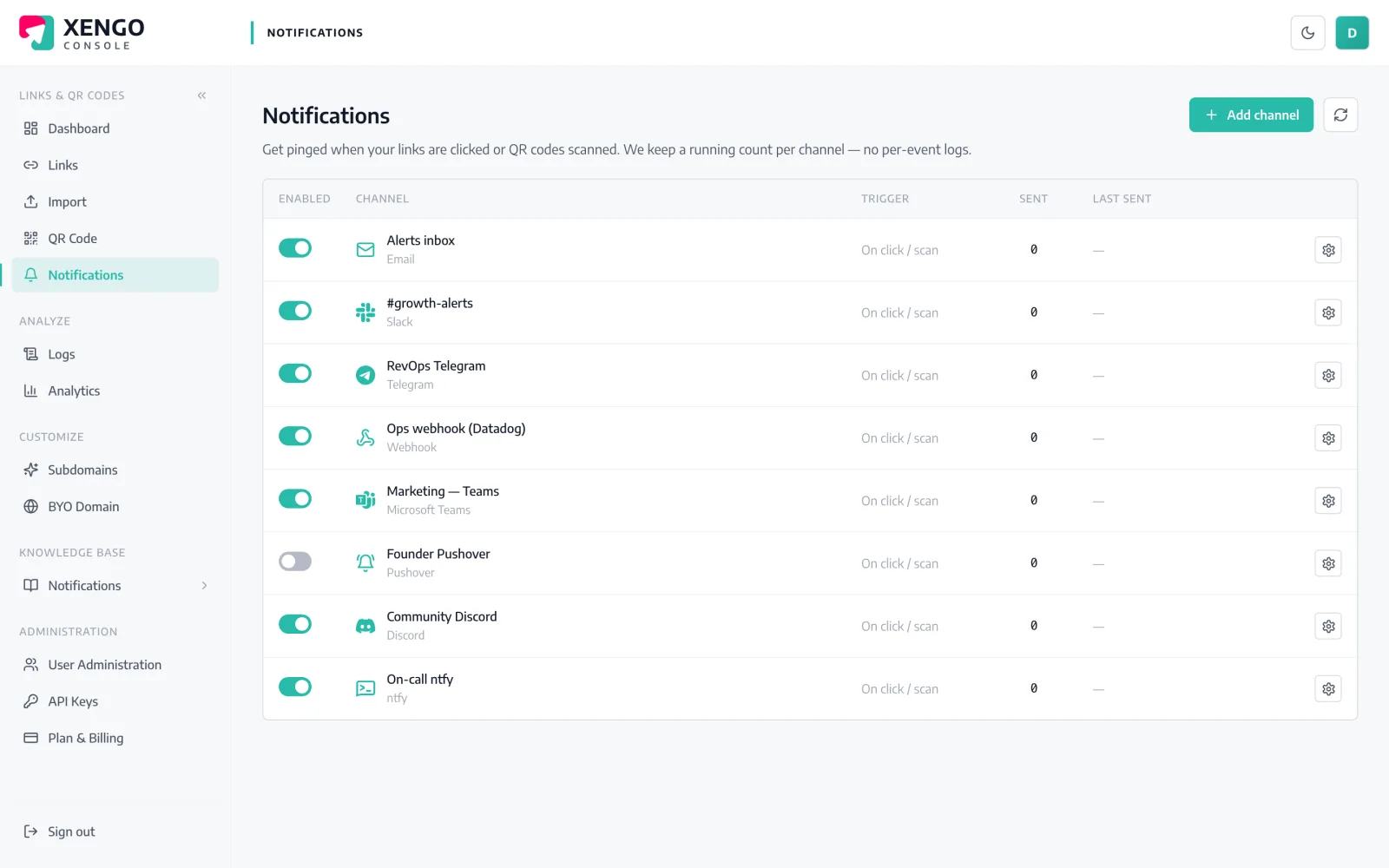
Some scans are incidents. This one pages on-call.

Put a dynamic QR code on the thing you worry about — the tamper seal, the plant-room door, the decommissioned rack — and the moment it's scanned, xengo triggers a PagerDuty incident through Events API v2. Your escalation policies and on-call schedules take it from there; the analytics keep the full history.

PagerDuty channel set-up in the xengo console
One routing key

Events API v2, no middleware in between.

No email-to-PagerDuty bridge, no marketplace app, no OAuth grant. xengo posts the trigger event directly to PagerDuty's Events API v2 with the routing key you paste — the same integration path your monitoring stack already uses.

  1. 1

    Get a routing key from PagerDuty

    In PagerDuty: open the service that should own these incidents → Integrations → Add integration → Events API v2. Copy the Integration Key it generates — that's your routing key.

  2. 2

    Add the channel in xengo

    Console → Notifications → Add channel → PagerDuty. Paste the key into the Integration / routing key field, save — then hit Send test and watch a test incident open on the service.

  3. 3

    Decide what deserves a page

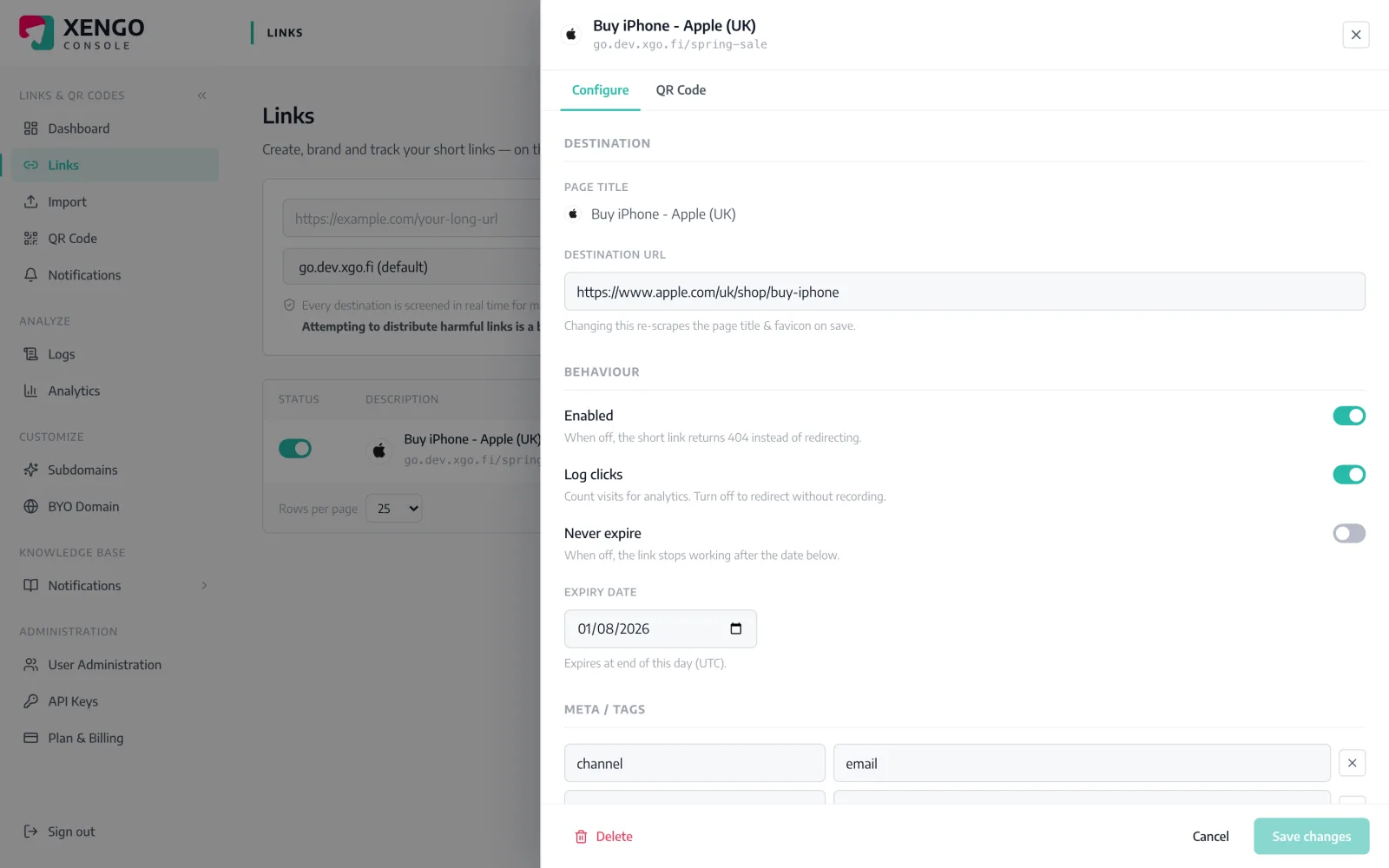
    Channels attach per link, so nothing pages until you say so. Tick the PagerDuty channel on the specific links and QR codes that are genuine signals — and leave the marketing links to Slack.

Page for these codes, not all of them

Page for these codes, not all of them

Notifications attach per link — each code carries its own channel list. Open the QR code on the emergency stop, tick the PagerDuty channel, and the next scan opens an incident — while the rest of the account stays quiet.

  • Per-link and per-QR routing — the pager is opt-in, code by code
  • Stack channels: the same scan can page PagerDuty and post to Slack
  • Change routing any time; takes effect on the next scan
An audit trail on-call can trust

An audit trail on-call can trust

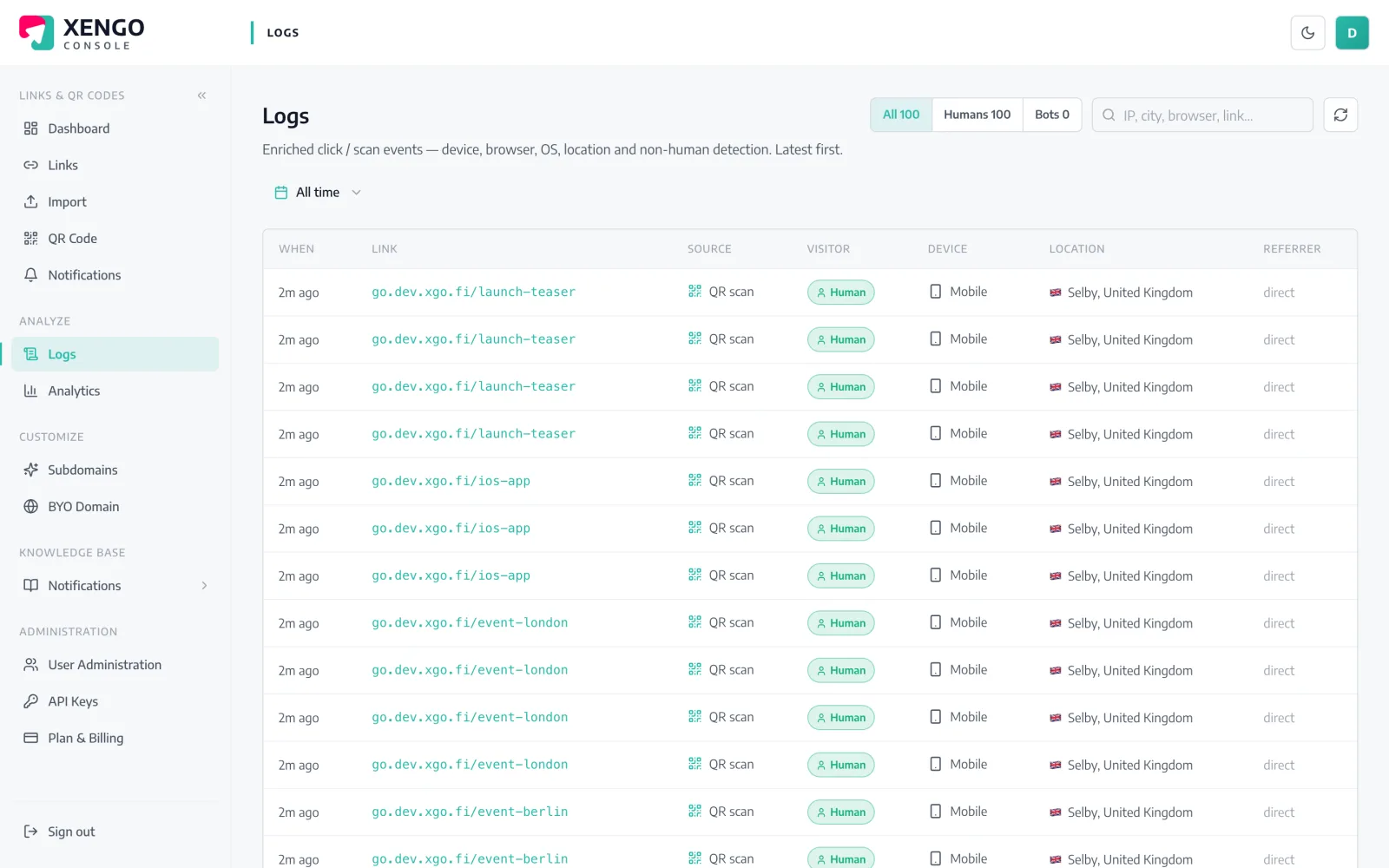
Every delivery attempt to PagerDuty is recorded in the delivery log with its HTTP response — first try and every retry. When someone asks whether the trigger actually reached PagerDuty, the answer is a row, not a shrug.

  • Per-attempt rows with response codes and timestamps
  • Retries appear in real order, so outages read like a timeline
  • Terminal failures are visible, never silently dropped

The details that make it dependable

Native Events API v2

xengo POSTs the trigger event straight to events.pagerduty.com with your routing key — the standard integration path, not an email inbox pretending to be one.

The summary is the story

The incident summary carries what was scanned: link title, short URL, source (click vs QR scan), destination, time, device, IP and your tags — within PagerDuty's 1,024-character limit.

Retries that outlast a blip

A failed delivery retries on a backoff ladder — up to six attempts over roughly 43 minutes — and every attempt lands in the delivery log.

Info severity, by design

Every event arrives as severity info with source xengo. Escalation is your call: use the service's event rules or orchestration to raise what matters.

Trigger-only, deliberately

xengo opens incidents; it never acknowledges or resolves them. Closing the loop stays with the human who investigated.

Test before you trust it

The Send test button fires a real Events API call, so you can watch the test incident open — and your escalation policy react — before anything is live.

Frequently asked questions

How does xengo connect to PagerDuty?

Through Events API v2. You create an Events API v2 integration on a PagerDuty service, paste the routing key into the xengo console, and every routed scan or click triggers an incident on that service. No app to install, no OAuth, no email bridge — deliveries are authenticated by the routing key itself.

Will every scan open a new incident?

xengo sends each scan as its own trigger event and doesn't set a dedup key, so PagerDuty treats each one as a distinct event. How they roll up into incidents is then governed by your service's own grouping and event rules — which is exactly where that decision belongs.

Can xengo set the severity, or resolve incidents automatically?

No, and honestly it shouldn't. Every event arrives as severity info and xengo only ever sends trigger — never acknowledge or resolve. Use PagerDuty's event orchestration or service rules to escalate specific codes, and close incidents from PagerDuty once a human has looked.

What happens if PagerDuty is unreachable?

The failed attempt is logged and retried on a backoff ladder — 30 seconds, 2 minutes, 10 minutes, then 15-minute steps, six attempts in total. Each retry gets its own delivery-log row, so an outage reads as a timeline rather than a mystery.

Do I get the raw event JSON in PagerDuty?

No — PagerDuty receives the readable summary via Events API v2, not the structured JSON event, and the delivery isn't signed (the routing key is the credential). If your tooling wants the full signed event, run the generic webhook alongside; the same scan feeds both.

More incident & on-call

One platform. Everything a link should do.

Smart URLs, dynamic QR codes and a full API — branded on your own domain, safety-screened, and tracked. Build, re-point and measure it all in one place.

Start free trial
1,284 clicks
go.acme.com/spring
1 London 412
2 Manchester 168
3 Bristol 94

Smart URLs

Branded short links on a domain you control — editable, screened, and tracked.

Popular Smart URLs features

  • Your own custom domain, auto-HTTPS
  • Re-point live links without reprinting
  • Every destination safety-screened
  • Honest, bot-filtered analytics

Dynamic QR

Branded QR codes you can re-point any time — never reprint the poster again.

Popular Dynamic QR features

  • Editable destination behind every code
  • Your brand colours + logo
  • Real-time scan alerts
  • Per-code scan analytics
$ curl -X POST api.xengo.io/v1/links
{
  "domain": "go.acme.com",
  "url": "https://acme.com/…"
}
→ 201 go.acme.com/aB3xK

API

Create and manage links + QR at scale, straight from your own tools.

Popular API features

  • REST API with scoped keys
  • Bulk-create thousands of links
  • Programmatic QR generation
  • Webhooks + click / scan alerts

Put a pager behind your next QR code

14-day free trial, card required, cancel anytime. One routing key, one test incident, and on-call hears about the scans that matter.