
Your server. Your push. Every scan.

You run Gotify because you'd rather own the pipe your notifications travel through — fair. xengo respects that: every click and QR scan is POSTed straight to your server's message endpoint, and from there delivery is entirely yours. No third-party push broker in the middle, just your Gotify instance doing what you built it for.

Gotify channel set-up in the xengo console
Server URL + token

One application on your server, two fields on ours.

Gotify's message API is a single endpoint and xengo talks to it directly. Create an application in your Gotify admin, hand us the URL and the token, and your scans join whatever else your server is already pushing.

  1. 1

    Create an application in Gotify

    In your Gotify web UI: Apps → Create Application, name it xengo. Gotify mints an app token — copy it, and note the base URL your server answers on.

  2. 2

    Add the channel in xengo

    Console → Notifications → Add channel → Gotify. Paste the base URL into Server URL and the token into App token, save — then hit Send test and watch it appear under the xengo app on your server.

  3. 3

    Route what reaches it

    Point the whole account at your server, or attach the channel per link and QR code — the homelab dashboard link pushes, the public docs link doesn't have to.

Managed like any other channel

Managed like any other channel

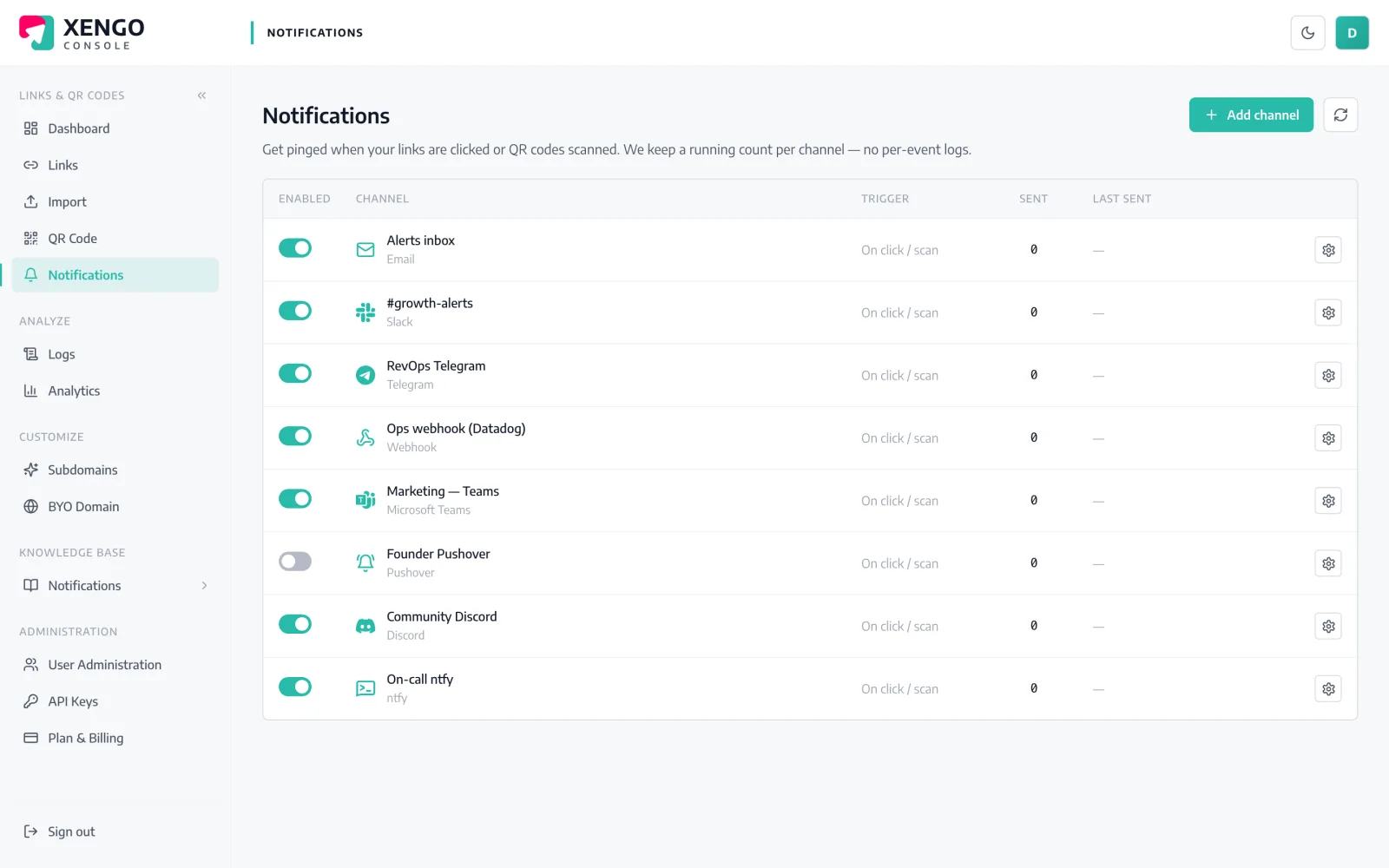
Your self-hosted server sits on the console's Notifications page beside Slack, PagerDuty and the rest — same send counts, same last-delivery timestamps, same one-click pause. Self-hosting the endpoint doesn't mean self-managing the plumbing.

  • Send count and last-sent time per channel
  • Pause during server maintenance, resume after — config kept
  • Run several Gotify channels for several servers if you like
Every POST to your box, receipted

Every POST to your box, receipted

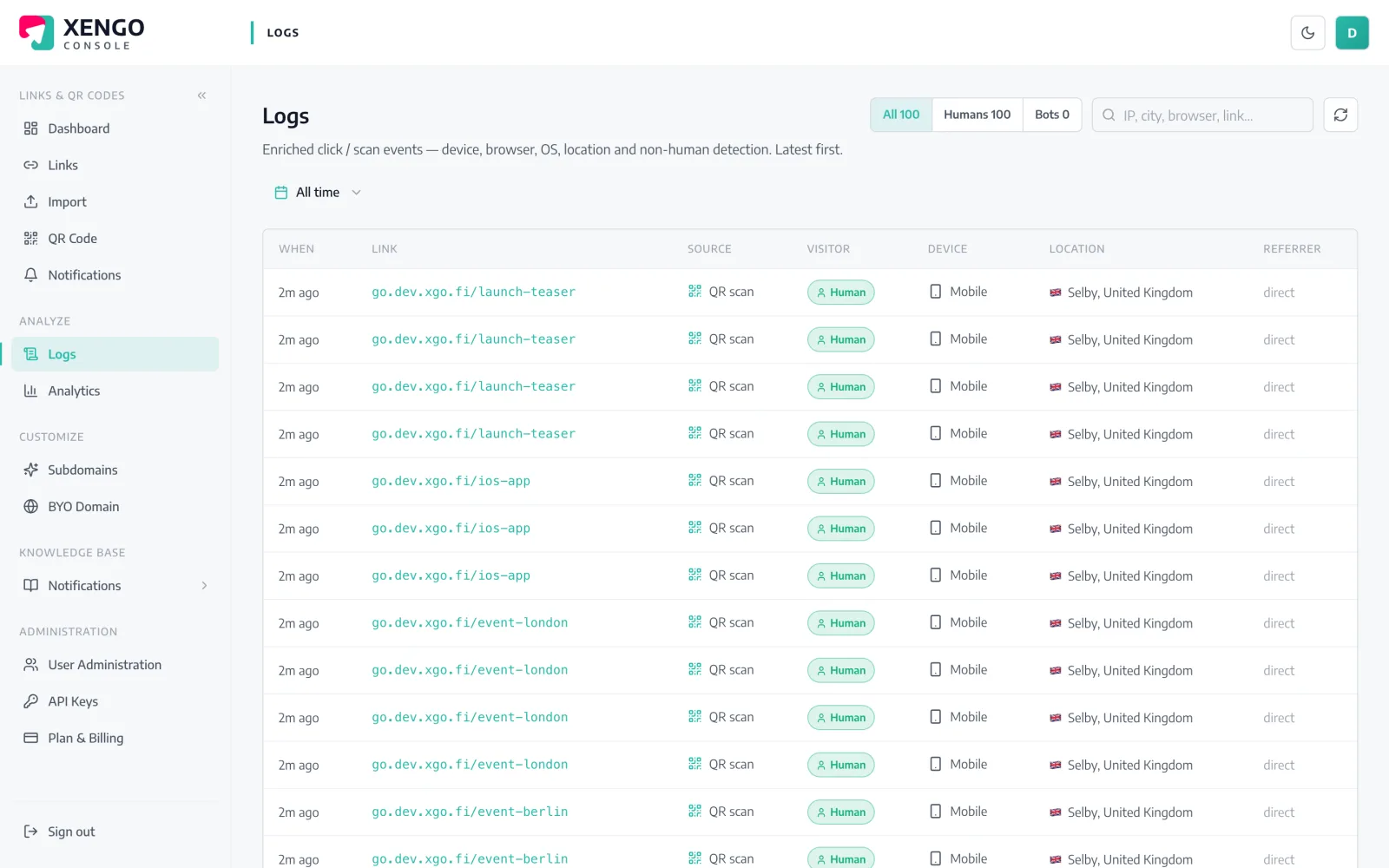
Self-hosters read logs — so we keep good ones. Every delivery attempt to your Gotify server is recorded with its response, which means a reverse-proxy hiccup or an expired token shows up as evidence, not as silence.

  • Per-attempt delivery log with response detail
  • Failed attempts and their retries read in real order
  • Cross-check against your own Gotify and proxy logs

The details that make it dependable

Direct to your endpoint

xengo POSTs the message to your server's /message endpoint with your app token — no intermediary push service, hosted or otherwise.

http or https, your call

The server URL is validated as http(s) at set-up. Plain http is accepted for the pragmatists, but https is the sane default — the token travels with each request.

A message, not a mystery

Title names the short link; the message body carries the link title, source (click vs QR scan), destination, UTC time, device and your tags.

Outages get six chances

If your server doesn't answer, delivery retries on a backoff ladder — up to six attempts across roughly 43 minutes — long enough to ride out a container restart.

Seconds end to end

From scan to your server is typically a couple of seconds — the same latency the hosted channels get, because it's the same pipeline.

Not an exclusive arrangement

The same scan can also hit a signed webhook, an ntfy topic or a Home Assistant automation — self-hosted channels stack like any others.

Frequently asked questions

Does my Gotify server need to be reachable from the internet?

Yes — xengo delivers from the cloud, so a LAN-only server can't be reached. Most self-hosters expose Gotify behind a reverse proxy with TLS; a tunnel works too. If you can curl your /message endpoint from outside your network, xengo can deliver to it.

Is an app token enough, or does xengo need my admin login?

The app token is all it gets — and that's by design on Gotify's side, since app tokens can only create messages under their own application. Your admin credentials never leave your server.

What priority do the messages arrive with?

xengo sends the title and message without a priority field, so your server applies its default. If you triage by priority on your clients, treat xengo's messages accordingly — priority control from our side isn't something we pretend to have.

What happens while my server is down for maintenance?

Each failed attempt is logged, then retried on a backoff ladder — 30 seconds, 2, 10, 15 and 15 minutes — up to six attempts in total. Longer outages than that and the terminal failure sits in the delivery log; pausing the channel first keeps the log clean.

Can I get the structured JSON event on my own infrastructure?

Yes, but through the generic webhook channel rather than Gotify — Gotify receives a readable title and message. The webhook delivers the full event JSON with Svix-compatible signature headers to any endpoint you own, and both can listen to the same scan.

More push to your pocket

One platform. Everything a link should do.

Smart URLs, dynamic QR codes and a full API — branded on your own domain, safety-screened, and tracked. Build, re-point and measure it all in one place.

Start free trial
1,284 clicks
go.acme.com/spring
1 London 412
2 Manchester 168
3 Bristol 94

Smart URLs

Branded short links on a domain you control — editable, screened, and tracked.

Popular Smart URLs features

  • Your own custom domain, auto-HTTPS
  • Re-point live links without reprinting
  • Every destination safety-screened
  • Honest, bot-filtered analytics

Dynamic QR

Branded QR codes you can re-point any time — never reprint the poster again.

Popular Dynamic QR features

  • Editable destination behind every code
  • Your brand colours + logo
  • Real-time scan alerts
  • Per-code scan analytics
$ curl -X POST api.xengo.io/v1/links
{
  "domain": "go.acme.com",
  "url": "https://acme.com/…"
}
→ 201 go.acme.com/aB3xK

API

Create and manage links + QR at scale, straight from your own tools.

Popular API features

  • REST API with scoped keys
  • Bulk-create thousands of links
  • Programmatic QR generation
  • Webhooks + click / scan alerts

Push the next scan through your own server

14-day free trial, card required, cancel anytime. A server URL, an app token, and your Gotify clients light up.