
One scan. Every screen you own.

Pushbullet's whole point is that a note reaches all of your devices at once — and that's exactly how xengo uses it. A click or a QR scan becomes a note on your phone, your tablet and your browser in the same moment, carrying the link's title, short URL, source and destination. Whichever screen you're nearest, that's the one that tells you.

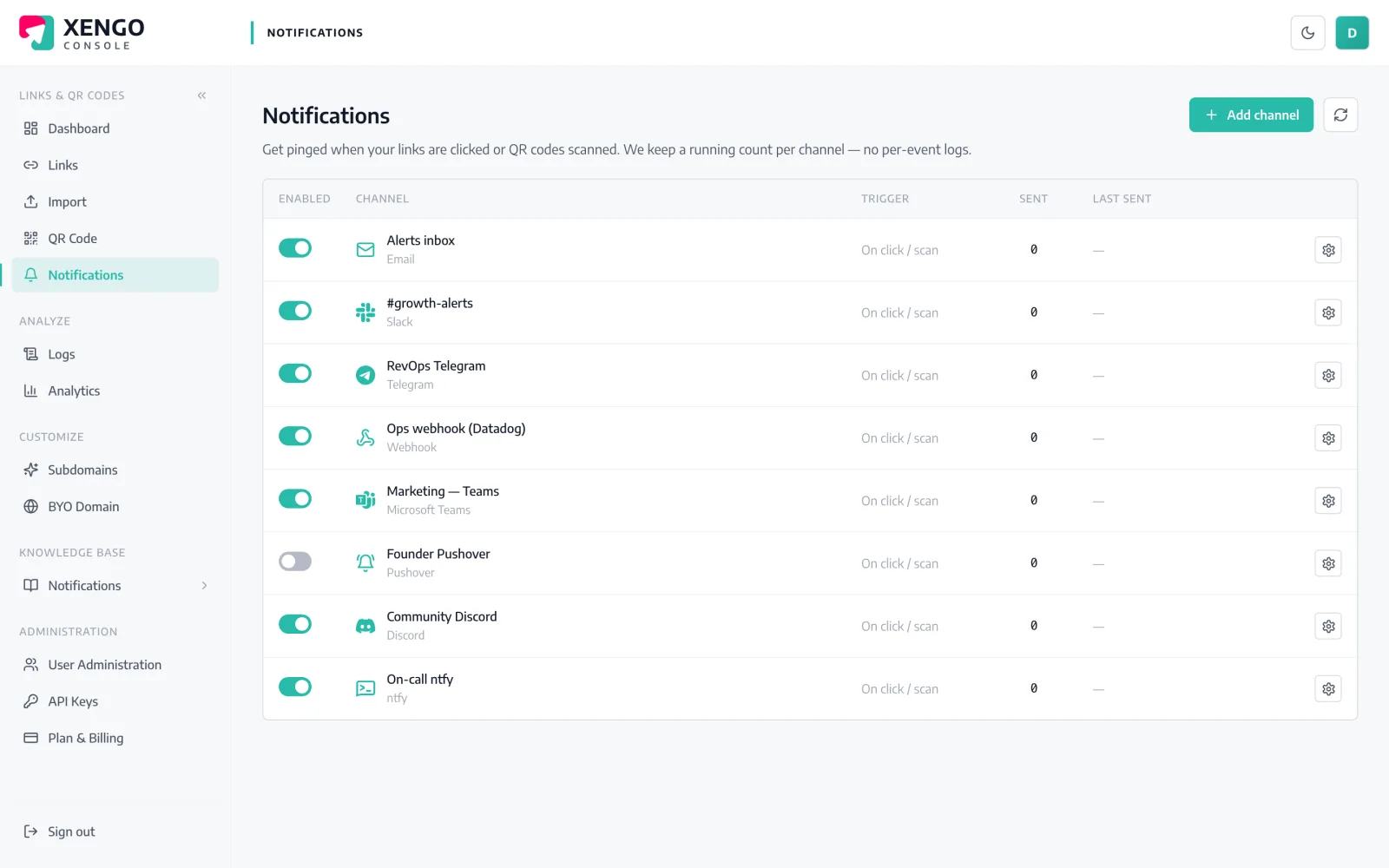
Pushbullet channel set-up in the xengo console
One token, honestly

Paste an access token. That's the whole job.

No app pairing, no channel subscriptions, no webhook relay — Pushbullet's pushes API takes a note with a token, and xengo sends exactly that. If you've ever copied an API key, you've done harder things.

  1. 1

    Create an Access Token in Pushbullet

    In Pushbullet: Settings → Account → Create Access Token. You get a token starting o. — copy it (Pushbullet shows it right on the page whenever you need it).

  2. 2

    Add the channel in xengo

    Console → Notifications → Add channel → Pushbullet. Paste the token into the Access token field, name the channel, save — then hit Send test and watch the note mirror across your devices.

  3. 3

    Pick which links push

    Send the whole account's activity to your devices, or attach the channel to the handful of links and QR codes you actually want following you around.

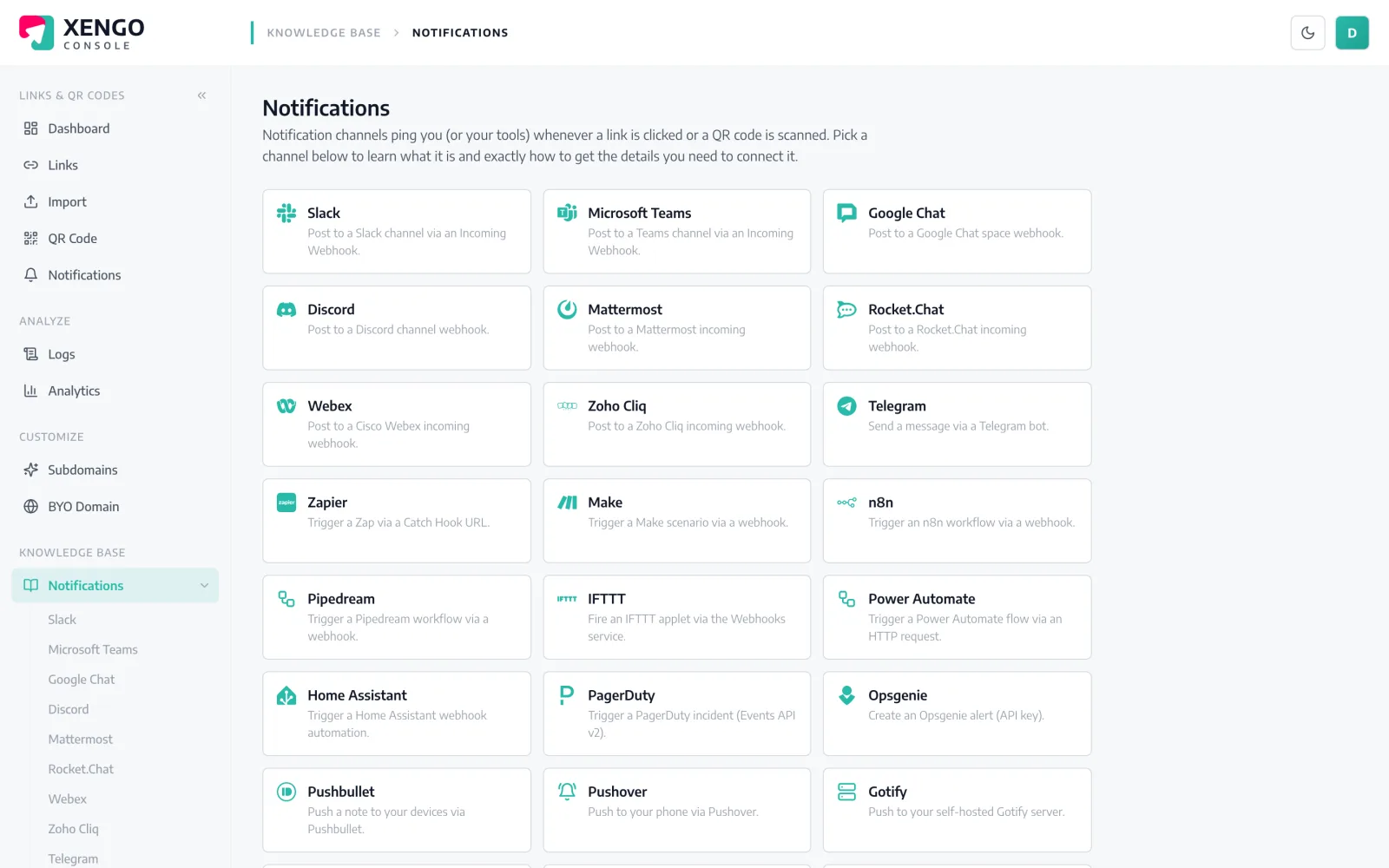
The console walks you through it

The console walks you through it

Every channel — Pushbullet included — has a step-by-step guide built into the console's knowledge base: what the token is, exactly where Pushbullet hides it, and what to paste where. No tab-juggling with vendor docs.

  • Per-channel setup guides inside the console itself
  • Covers all 24 channels, not just the famous ones
  • Written against the real Pushbullet UI, not a paraphrase
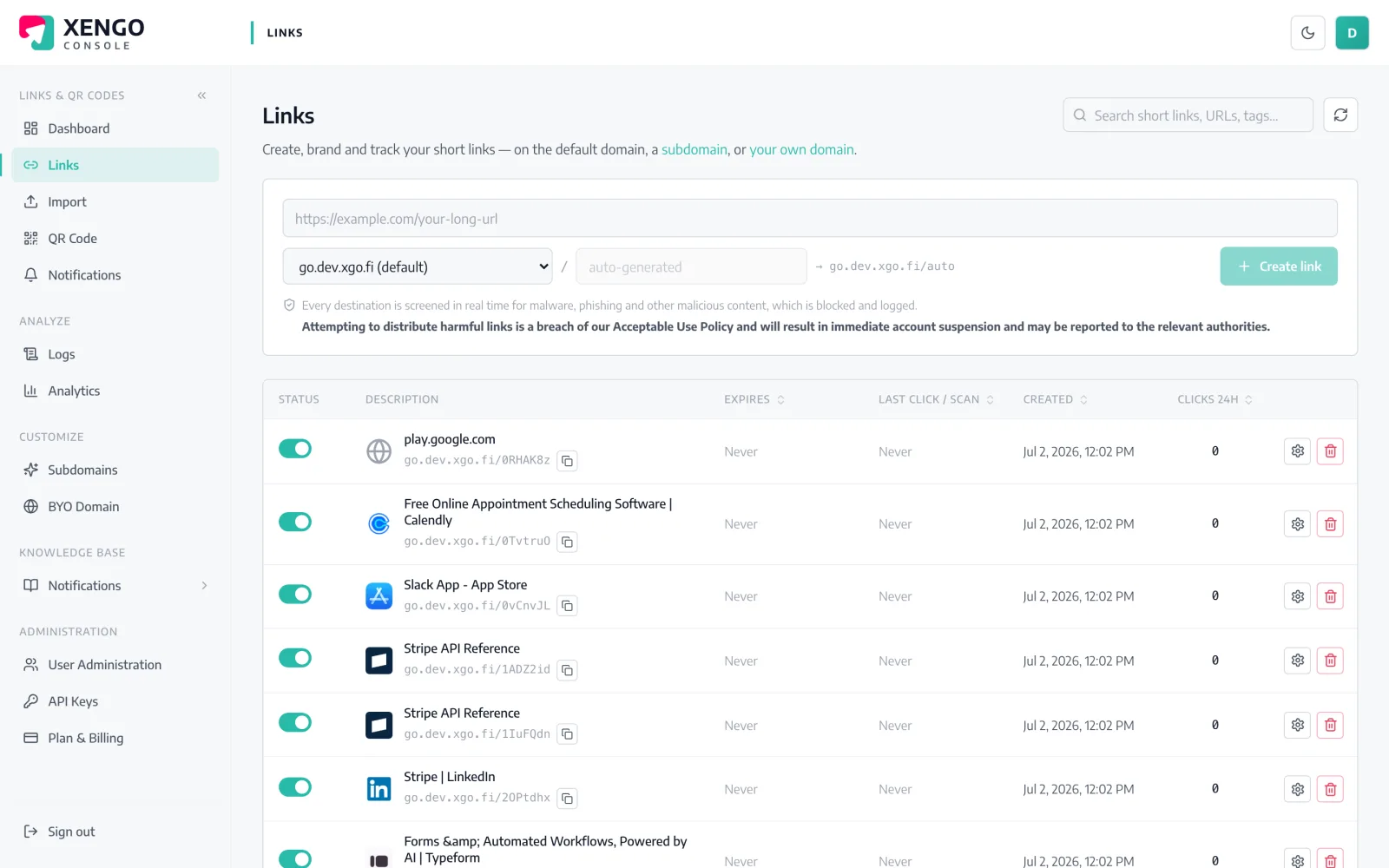
One token watches the whole portfolio

One token watches the whole portfolio

Attach the Pushbullet channel account-wide and every short link and QR code you run reports in — or keep it surgical and route only the links that matter. The links list shows everything the token could be hearing about.

  • All links and QR codes in one sortable list
  • Tags mark campaigns, so pushes carry routing context
  • Change a destination any time — pushes keep flowing

The details that make it dependable

Mirrored, not targeted

xengo sends the note without a device target, so Pushbullet delivers it to every device on your account — phone, tablet, browser extension alike.

A note with substance

The title names the short link; the body carries the link title, source (click vs QR scan), destination, UTC time, device, referrer and your tags.

Seconds behind the scan

Redirect, process, push — the note typically arrives within a couple of seconds of the scan itself.

Six attempts, logged

If Pushbullet's API misbehaves, delivery retries on a backoff ladder for up to six attempts, and every attempt lands in the delivery log with its response.

Revocable at both ends

Pause the channel in xengo without losing configuration, or revoke the token in Pushbullet — either one stops the pushes cleanly.

Plays alongside heavier channels

Keep Pushbullet for your own awareness while the same scan feeds a signed webhook, a Zap or the analytics page — nothing is either/or.

Frequently asked questions

Which of my devices gets the notification?

All of them. xengo pushes a note without naming a device, and Pushbullet's behaviour for untargeted notes is to mirror them to every device on your account — phones, tablets and browser extensions included.

How much access does the token give xengo?

Pushbullet access tokens are account-wide — there's no narrower scope on their side, so treat the token like a password. xengo only ever uses it to push notes, you can pause the channel any time, and revoking the token in Pushbullet's settings kills it instantly.

What does the pushed note contain?

A title of 'xengo: <short-link> clicked' and a body with the link's title, the short URL, whether it was a direct click or a QR scan, the destination, the UTC time and — where available — device, referrer, IP and your custom tags.

Do these pushes count against my Pushbullet plan?

They're API pushes sent through your own account, so Pushbullet's own plan rules apply — their free tier caps API pushes per month, so a very busy link may warrant their Pro plan or a quieter routing choice (attach the channel to fewer links).

Can I get the raw JSON event instead of a note?

Not through Pushbullet — it's a readable-text channel by design. If you want the full structured event with cryptographic signature headers, add the generic webhook channel alongside it; the same scan feeds both.

More push to your pocket

One platform. Everything a link should do.

Smart URLs, dynamic QR codes and a full API — branded on your own domain, safety-screened, and tracked. Build, re-point and measure it all in one place.

Start free trial
1,284 clicks
go.acme.com/spring
1 London 412
2 Manchester 168
3 Bristol 94

Smart URLs

Branded short links on a domain you control — editable, screened, and tracked.

Popular Smart URLs features

  • Your own custom domain, auto-HTTPS
  • Re-point live links without reprinting
  • Every destination safety-screened
  • Honest, bot-filtered analytics

Dynamic QR

Branded QR codes you can re-point any time — never reprint the poster again.

Popular Dynamic QR features

  • Editable destination behind every code
  • Your brand colours + logo
  • Real-time scan alerts
  • Per-code scan analytics
$ curl -X POST api.xengo.io/v1/links
{
  "domain": "go.acme.com",
  "url": "https://acme.com/…"
}
→ 201 go.acme.com/aB3xK

API

Create and manage links + QR at scale, straight from your own tools.

Popular API features

  • REST API with scoped keys
  • Bulk-create thousands of links
  • Programmatic QR generation
  • Webhooks + click / scan alerts

Let every device hear the next scan

14-day free trial, card required, cancel anytime. One access token and the first note is already mirroring.