
One scan. One scenario run. No schedule.

Webhook-triggered scenarios in Make run the moment data arrives — and we send it the moment the scan happens. Code, source, destination, tags, device: the whole event reaches your custom webhook in seconds, ready to fan out through routers, filters and every module a signed webhook could feed.

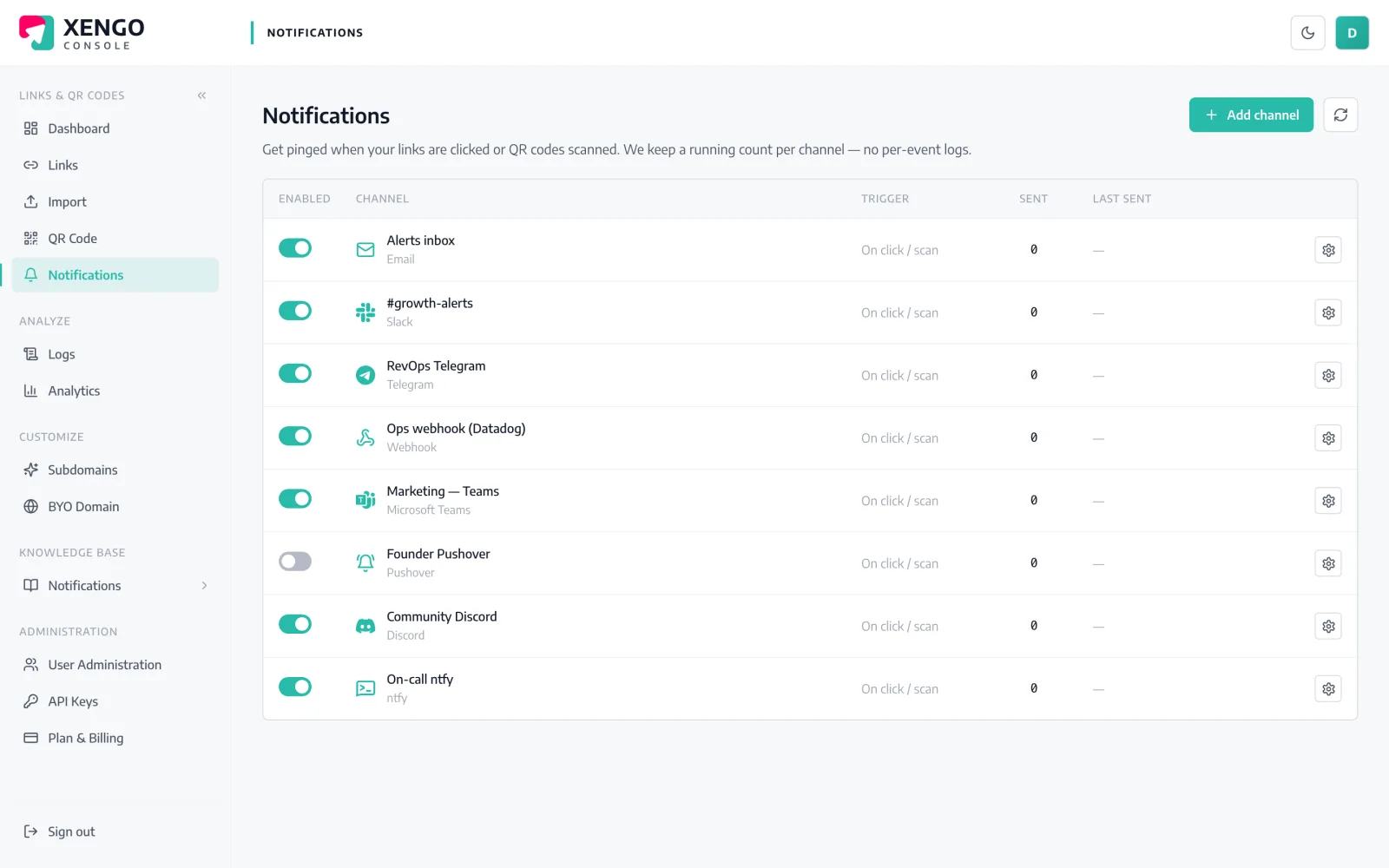
Make channel set-up in the xengo console
Custom webhook, standard trick

Make already knows how to catch this.

Make's Webhooks module exists for exactly this shape of integration: an external system pushes JSON, the scenario wakes up instantly. We're the push. There's no connector to hunt for and no polling interval to tune — paste one URL and the scenario is live.

  1. 1

    Add a custom webhook in Make

    In Make: create a scenario, add the Webhooks module as the first step and choose Custom webhook. Make generates a hook.eu1.make.com URL — copy it, and leave the webhook listening to learn the data structure.

  2. 2

    Paste it into xengo

    Console → Notifications → Add channel → Make. Drop the URL into the Webhook URL field, save, then hit Send test — Make catches the sample and determines the data structure from it.

  3. 3

    Pick the scans that run it

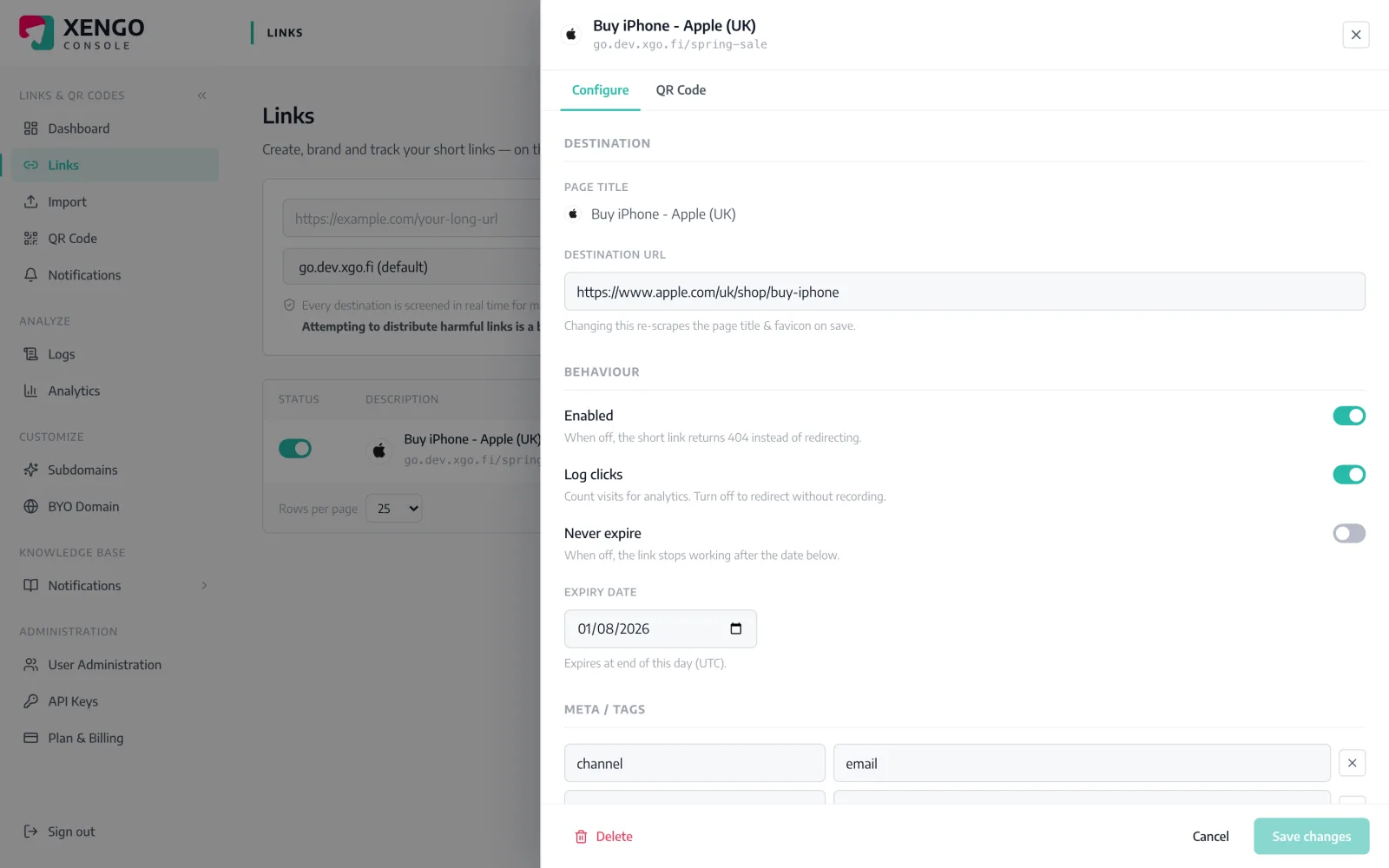
    Attach the channel to the links and QR codes it should hear about — each scenario only sees the codes it exists to handle, and nothing else runs it.

Every run has a receipt on our side too

Every run has a receipt on our side too

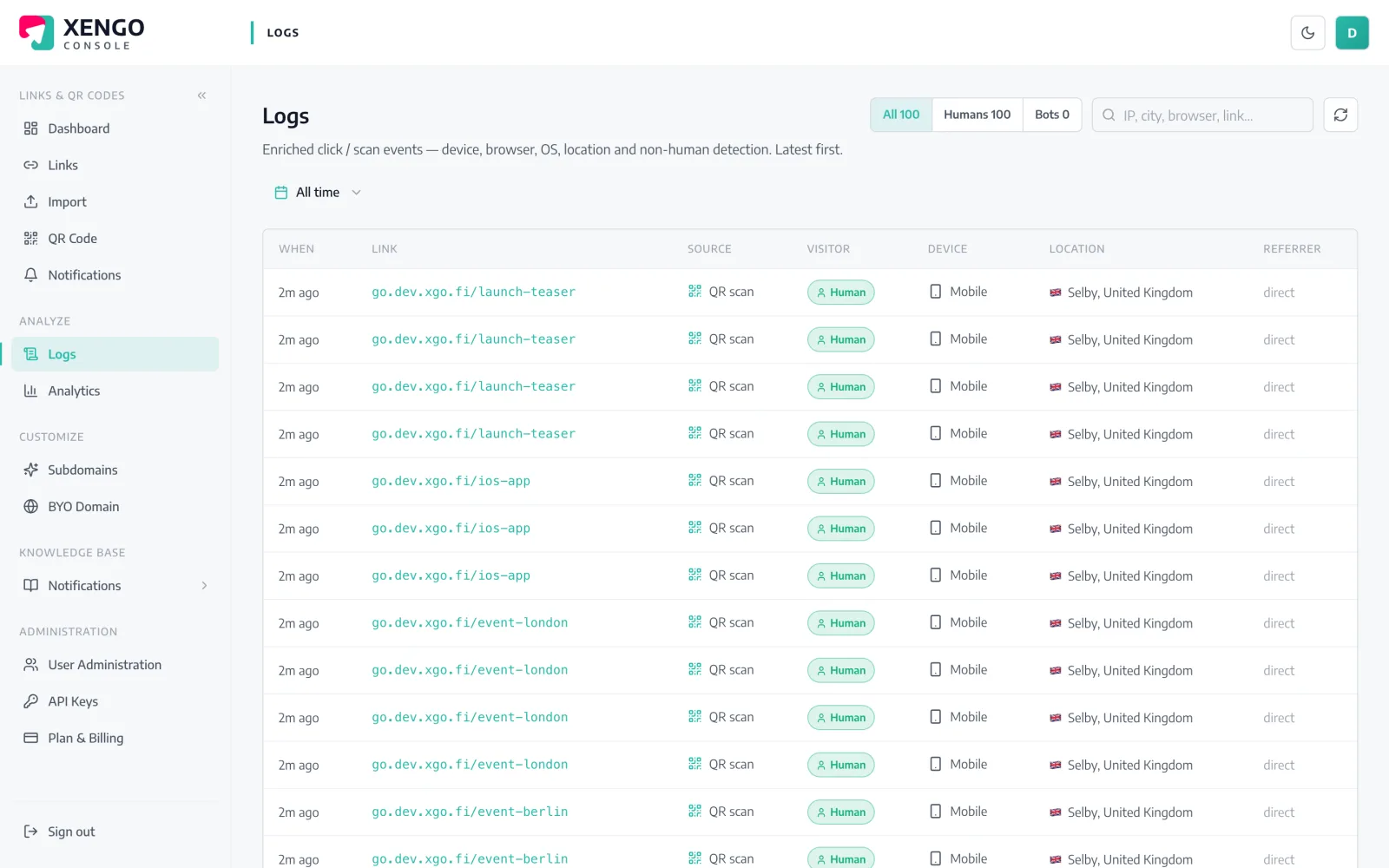
Make shows you the scenario's execution history; the console's delivery log shows the other half — every POST we made to your webhook, with its response code, first attempt and retries alike.

  • Per-attempt response codes, not a vague 'sent' tick
  • Retries appear as their own log rows, in real order
  • Debugging is a comparison of two logs, not guesswork
Scenarios scoped to the codes that matter

Scenarios scoped to the codes that matter

Attach the Make channel to specific links and QR codes from the link drawer. A returns-label scenario never hears about the marketing campaign, and vice versa.

  • Per-link and per-QR routing from a single account
  • One webhook per scenario — create as many channels as you need
  • Routing changes apply from the next scan onwards
The event

What Make receives — the whole story, as JSON

Not a bare ping: the full scan event — code, source, destination, tags, timestamp, device — arrives at your Webhook URL within seconds of the scan.

Every delivery carries Svix-compatible signature headers (webhook-id, webhook-timestamp, webhook-signature) signed with your channel's whsec_ secret, and failures retry on a backoff ladder for up to six attempts — with every attempt visible in the console's delivery log. Verification docs →

{
  "event": "click",
  "source": "qr",
  "code": "spring-launch",
  "shortUrl": "go.yourbrand.com/spring-launch",
  "title": "Spring launch pack",
  "destination": "https://yourbrand.com/spring",
  "tags": { "campaign": "spring-24", "sku": "SB-114" },
  "createdAt": "2026-05-02T09:14:11Z",
  "ts": 1752319441000,
  "at": "2026-07-12T10:44:01+00:00",
  "ip": "203.0.113.7",
  "ua": "Mozilla/5.0 (iPhone; …)",
  "referer": null,
  "customerId": "cus_9f2k…"
}

The details that make it dependable

Instant, not interval

Webhook-triggered scenarios bypass Make's scheduling entirely — the run starts when our POST lands, typically within seconds of the scan.

Structure Make can learn

Hit Send test while the webhook is determining its data structure and every event field becomes a mappable item in your scenario's modules.

Signed deliveries

Each POST carries Svix-compatible signature headers tied to your channel's whsec_ secret — verifiable in a scenario step if you need proof of origin.

A retry ladder underneath

If the webhook is unreachable, we retry at 30s, 2m, 10m, then 15m twice — six attempts in all, with the same webhook-id every time.

HTTPS validated

The Make webhook URL must be HTTPS and is checked when you save the channel, so a broken paste surfaces immediately.

Tags ride along

Tag a link with campaign or SKU codes and they arrive inside the event — filter conditions and router routes can key on them directly.

Frequently asked questions

Is there a xengo app in Make's app directory?

No — you paste a custom webhook URL from Make's built-in Webhooks module, which ingests our POST natively. Nothing about the trigger is second-class: webhook scenarios in Make run instantly, which is exactly what a dedicated app would buy you.

How does Make know the structure of the event?

When a custom webhook is newly created (or you click Redetermine data structure), Make listens for the next request and learns the fields from it. Use the console's Send test button at that moment and every field — code, source, destination, tags — becomes mappable.

Does one scan use one Make operation?

Each scan is one POST, which starts one scenario run; how many operations that run consumes depends on how many modules your scenario executes. We never batch or digest events — if you want fewer runs, attach the channel to fewer links.

Can I verify the request really came from xengo?

Yes. Deliveries are signed with your channel's whsec_ secret using Svix-compatible headers (webhook-id, webhook-timestamp, webhook-signature). Most Make users treat the unguessable hook URL as sufficient, but the headers are there when the scenario needs proof.

What happens if my scenario is off or the webhook errors?

The failed POST is retried on a backoff ladder — six attempts spanning roughly 43 minutes — and every attempt is recorded in the console's delivery log with its response code. Delivery is at-least-once, so de-duplicate on the webhook-id header if a run absolutely must not repeat.

More automation platforms

One platform. Everything a link should do.

Smart URLs, dynamic QR codes and a full API — branded on your own domain, safety-screened, and tracked. Build, re-point and measure it all in one place.

Start free trial
1,284 clicks
go.acme.com/spring
1 London 412
2 Manchester 168
3 Bristol 94

Smart URLs

Branded short links on a domain you control — editable, screened, and tracked.

Popular Smart URLs features

  • Your own custom domain, auto-HTTPS
  • Re-point live links without reprinting
  • Every destination safety-screened
  • Honest, bot-filtered analytics

Dynamic QR

Branded QR codes you can re-point any time — never reprint the poster again.

Popular Dynamic QR features

  • Editable destination behind every code
  • Your brand colours + logo
  • Real-time scan alerts
  • Per-code scan analytics
$ curl -X POST api.xengo.io/v1/links
{
  "domain": "go.acme.com",
  "url": "https://acme.com/…"
}
→ 201 go.acme.com/aB3xK

API

Create and manage links + QR at scale, straight from your own tools.

Popular API features

  • REST API with scoped keys
  • Bulk-create thousands of links
  • Programmatic QR generation
  • Webhooks + click / scan alerts

Give your next scenario a real-world trigger

14-day free trial, card required, cancel anytime. One webhook URL, and scans start scenarios.