
You chose to run your own chat. Scans still arrive instantly.

Teams on Mattermost tend to be teams that think about where their tools run. xengo meets you there: every click and QR scan becomes a message in the Mattermost channel you chose — on your server, your domain, even plain http on an internal box — seconds after it happens.

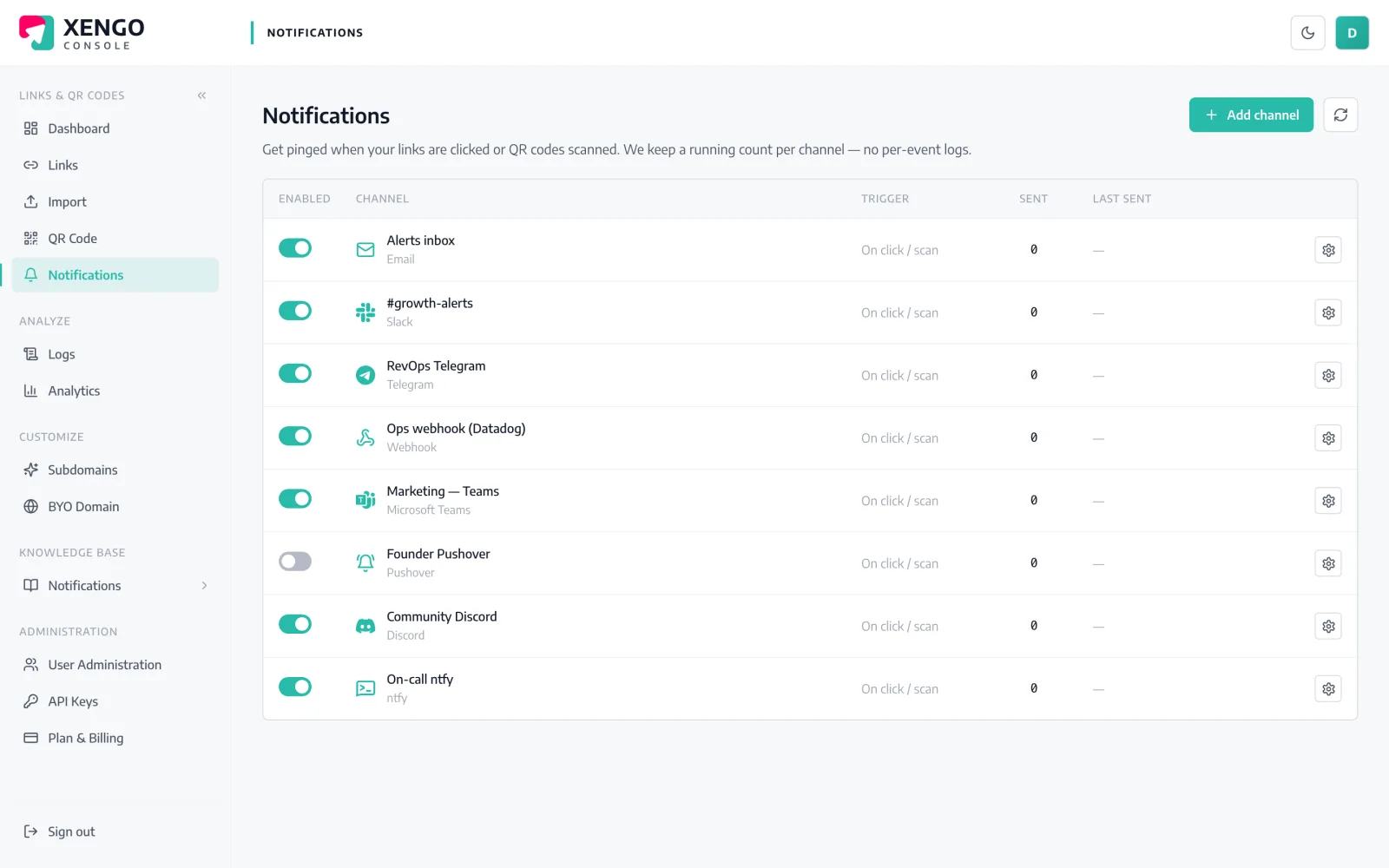
Mattermost channel set-up in the xengo console
Your server, one webhook

An incoming webhook on your instance is all it takes.

Mattermost's incoming webhooks are a core feature of the platform you already run. Create one, point it at a channel, and paste the URL into xengo — no plugin to install on your server and nothing new to operate.

  1. 1

    Create an incoming webhook in Mattermost

    Main menu → Integrations → Incoming Webhooks → Add Incoming Webhook. Pick the channel, save, and copy the /hooks/… URL. (If Integrations is missing, a system admin enables incoming webhooks in the System Console.)

  2. 2

    Paste it into xengo

    Console → Notifications → Add channel → Mattermost. Drop the URL into the Incoming Webhook URL field, name the channel, save — then click Send test and watch it post on your server.

  3. 3

    Scope what it hears

    Attach the channel to the links and QR codes that should report there — asset labels to the ops channel, campaign links to marketing. Alerts are configured per link, so nothing posts anywhere you didn't choose.

A delivery log worth trusting

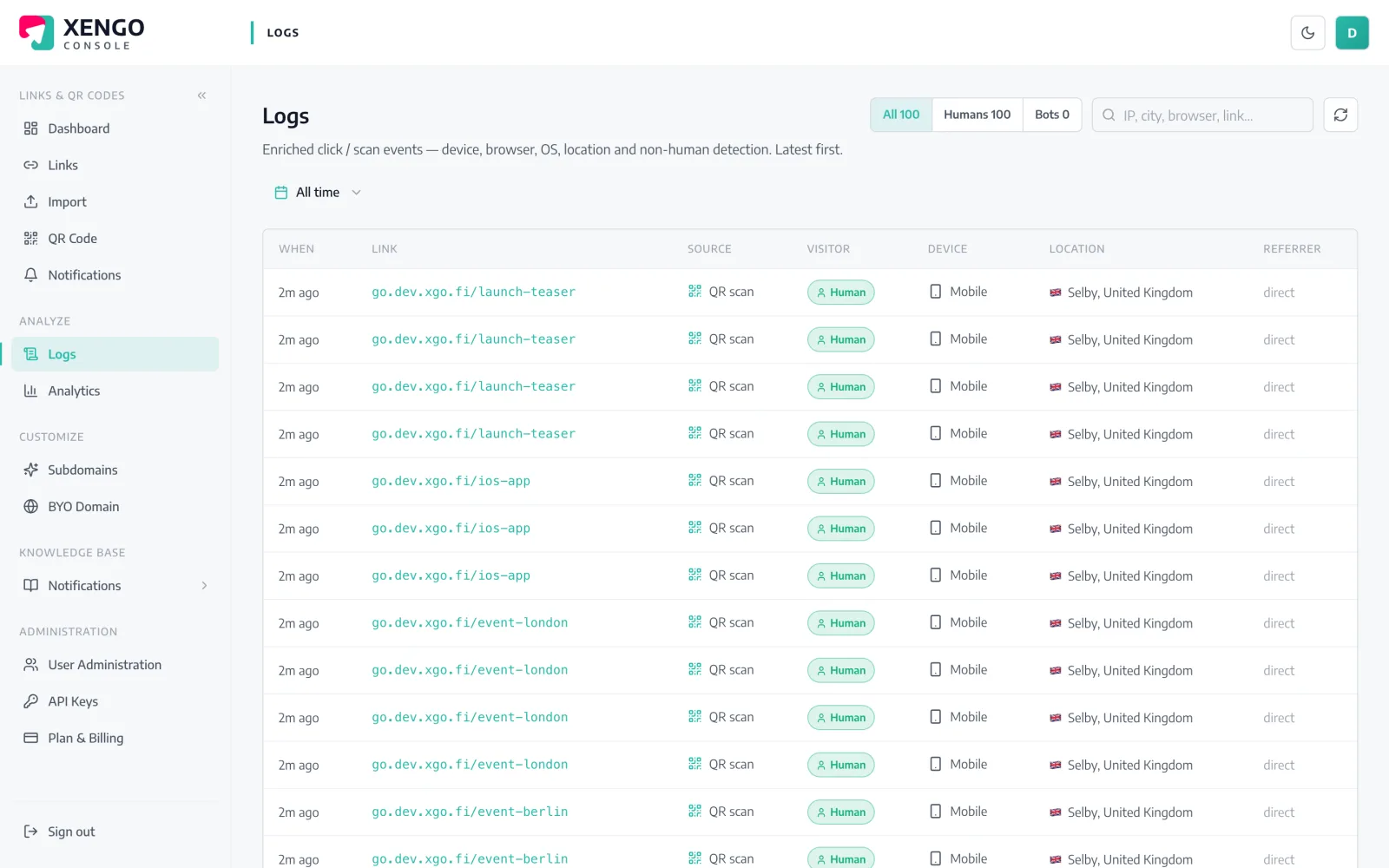
A delivery log worth trusting

Teams that self-host like evidence. Every post to your Mattermost server is recorded with its HTTP response code and attempt number — so when your instance was mid-upgrade, you can see exactly which alerts retried and when they landed.

  • Per-attempt rows including every retry, in real order
  • Response codes recorded — 200s and 502s alike
  • One log across all your channels, not just Mattermost
Route each code to the right channel

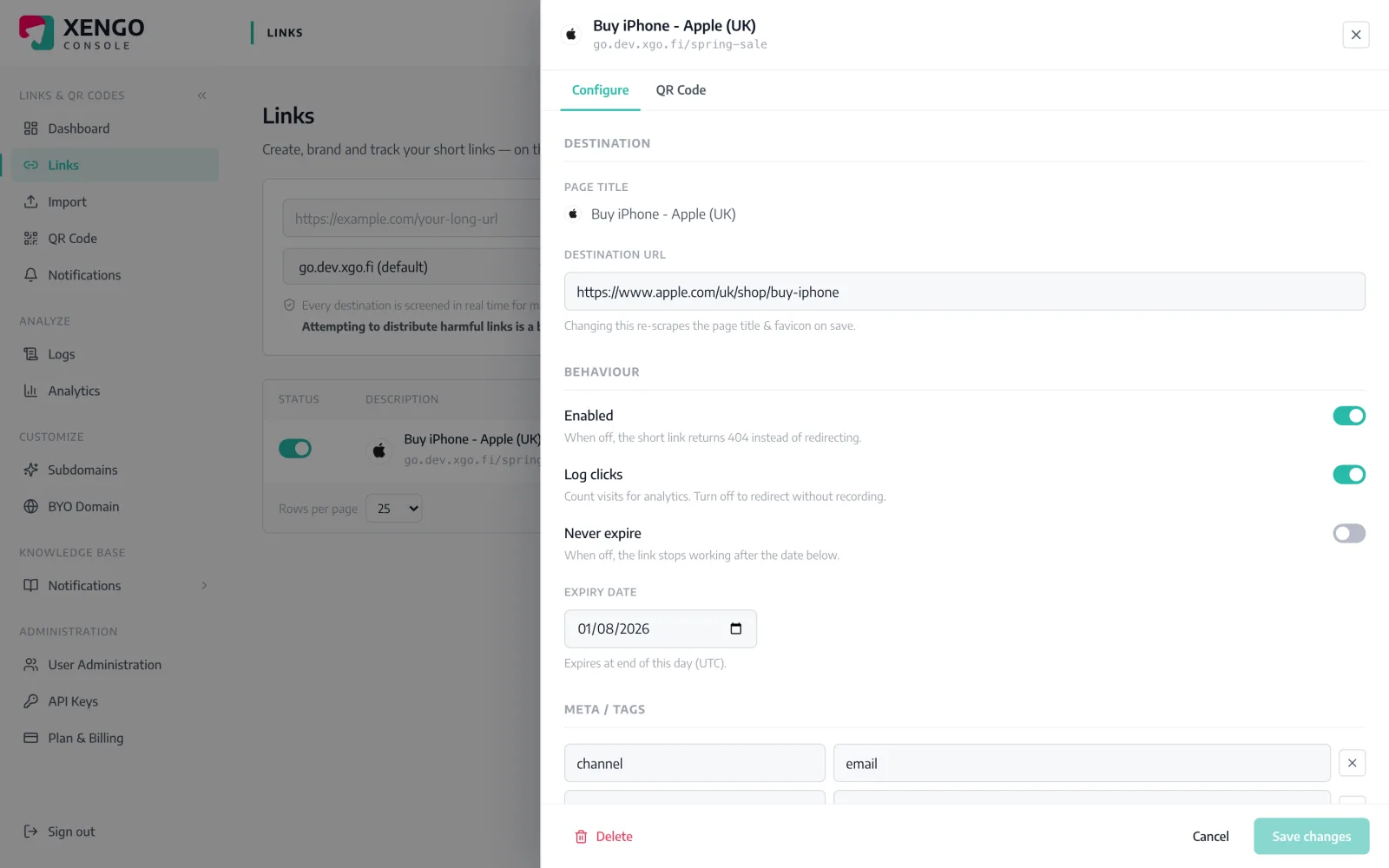
Route each code to the right channel

Notifications attach per link. Open a link, tick the Mattermost channels that should hear about it, and the next scan posts there — and only there.

  • Per-link and per-QR routing, no global firehose required
  • Mix listeners — Mattermost for people, a signed webhook for systems
  • Rerouting takes effect on the next scan

The details that make it dependable

Self-hosted is first-class

Mattermost webhook URLs accept http as well as https, so an instance behind your own domain — or an internal CA — isn't fighting the validator.

Seconds, not minutes

From scan to message on your server is typically a couple of seconds — the event is processed and posted immediately, no batching.

A message with substance

Link title, short URL, click vs QR scan, destination, timestamp, device and your tags — context your channel can act on directly.

Six attempts, then the truth

Failed posts retry on a backoff ladder — up to six attempts over roughly 43 minutes — and if all fail, the log says so plainly.

Pause without losing config

Taking the server down for maintenance? Pause the channel in the console and resume later — the webhook URL and routing stay put.

Channels stack

The same scan can also hit n8n on your own hardware or a signed webhook into your own API — self-hosted end to end if that's your style.

Frequently asked questions

Does this work with a self-hosted Mattermost server?

Yes — that's the normal case. xengo POSTs to whatever incoming-webhook URL you paste, https or plain http, so self-hosted instances on your own domain work without special treatment. The one requirement: our delivery has to be able to reach the URL over the internet.

My Mattermost is on a private network. Can xengo still reach it?

Deliveries come from xengo's infrastructure, so the webhook endpoint must be reachable from the internet — a public hostname, a reverse proxy, or a tunnel you control. A server that's only routable inside your LAN won't receive posts.

Do I need to install a Mattermost plugin?

No. Incoming webhooks are built into Mattermost — nothing gets installed on your server. Create the webhook, paste its URL into the xengo console, done.

Are the Mattermost deliveries signed?

No. Incoming webhooks are text-message endpoints that ignore extra headers, so signature headers would be decorative. If you want verifiable, structured events on your own infrastructure, run the signed generic webhook or the n8n channel alongside Mattermost.

What happens if my server is down when a scan comes in?

xengo retries on a backoff ladder — 30 seconds, 2 minutes, then longer gaps, up to six attempts covering roughly 43 minutes — and records every attempt in the delivery log. Outages shorter than that window still get their messages.

More chat & messaging

One platform. Everything a link should do.

Smart URLs, dynamic QR codes and a full API — branded on your own domain, safety-screened, and tracked. Build, re-point and measure it all in one place.

Start free trial
1,284 clicks
go.acme.com/spring
1 London 412
2 Manchester 168
3 Bristol 94

Smart URLs

Branded short links on a domain you control — editable, screened, and tracked.

Popular Smart URLs features

  • Your own custom domain, auto-HTTPS
  • Re-point live links without reprinting
  • Every destination safety-screened
  • Honest, bot-filtered analytics

Dynamic QR

Branded QR codes you can re-point any time — never reprint the poster again.

Popular Dynamic QR features

  • Editable destination behind every code
  • Your brand colours + logo
  • Real-time scan alerts
  • Per-code scan analytics
$ curl -X POST api.xengo.io/v1/links
{
  "domain": "go.acme.com",
  "url": "https://acme.com/…"
}
→ 201 go.acme.com/aB3xK

API

Create and manage links + QR at scale, straight from your own tools.

Popular API features

  • REST API with scoped keys
  • Bulk-create thousands of links
  • Programmatic QR generation
  • Webhooks + click / scan alerts

Scans on your server, seconds after they happen

14-day free trial, card required, cancel anytime. One incoming webhook and your Mattermost hears its first scan.