
Running on Zoho? Your scans should report to Cliq.

Your CRM, your books and your inbox already live in Zoho — scan alerts belong in the same place. The moment someone clicks a short link or scans a QR code, a message lands in the Cliq channel you chose: which code, where it points, when, and from what device.

Zoho Cliq channel set-up in the xengo console
Small setup, small business friendly

Paste one Cliq webhook URL and you're live.

No Zoho Marketplace extension, no Deluge script, no developer console — xengo posts to the incoming-webhook URL for your Cliq channel. If you've set up any Zoho integration before, this is the easy one.

  1. 1

    Get your channel's webhook URL in Cliq

    In Zoho Cliq, create an incoming webhook for the channel that should receive alerts (Cliq's post-to-channel endpoint with your webhook token) — you end up with a cliq.zoho.com URL for that channel.

  2. 2

    Add the channel in xengo

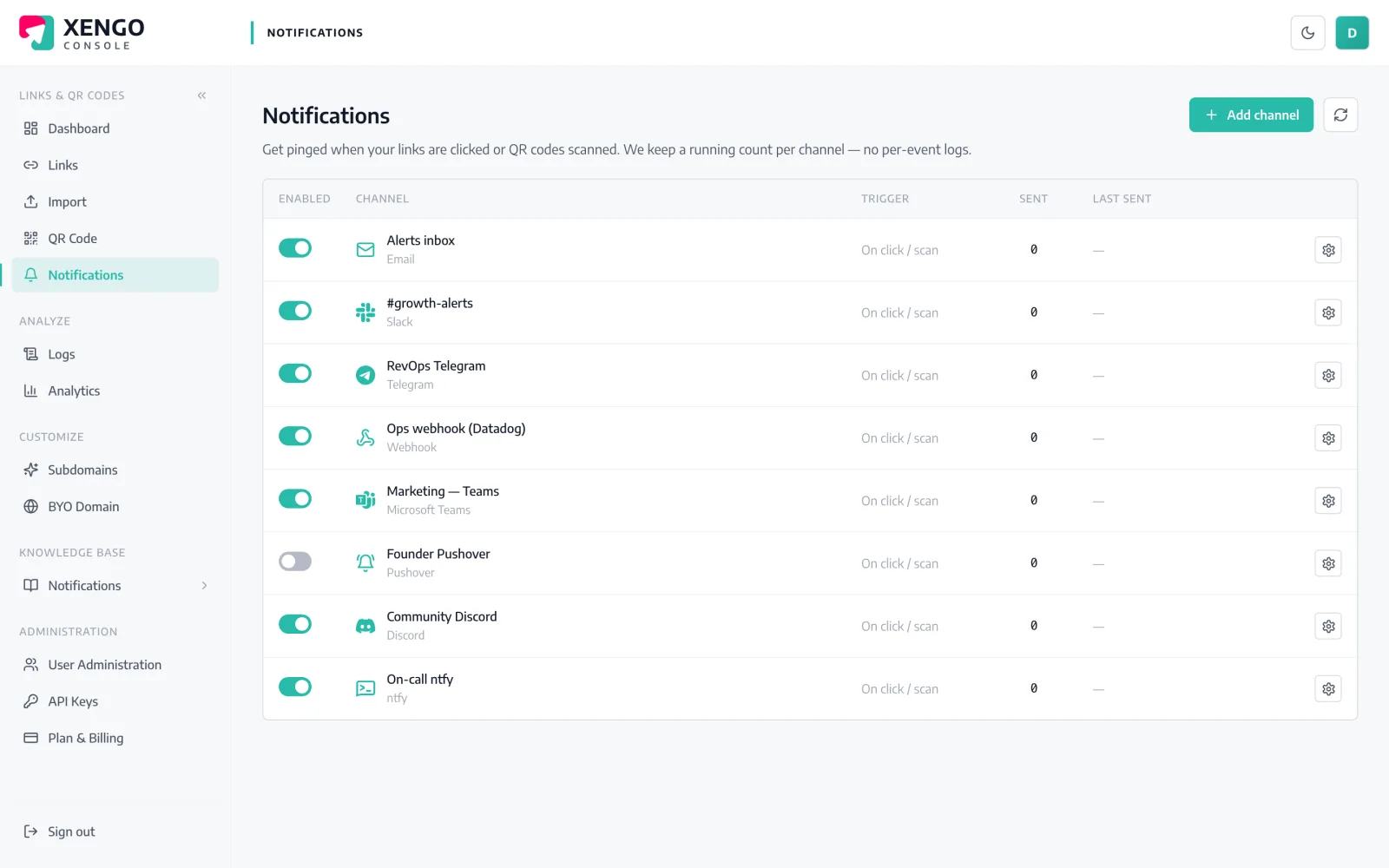
    Console → Notifications → Add channel → Zoho Cliq. Paste the URL into the Incoming Webhook URL field, name it, save — then hit Send test and watch it post in Cliq.

  3. 3

    Pick what flows there

    Attach the channel to the links and QR codes that should post there — the shop-window code to #sales, the invoice-footer link to #accounts. Alerts are chosen per link, so each code reports exactly where you decided.

Each code reports to its own channel

Each code reports to its own channel

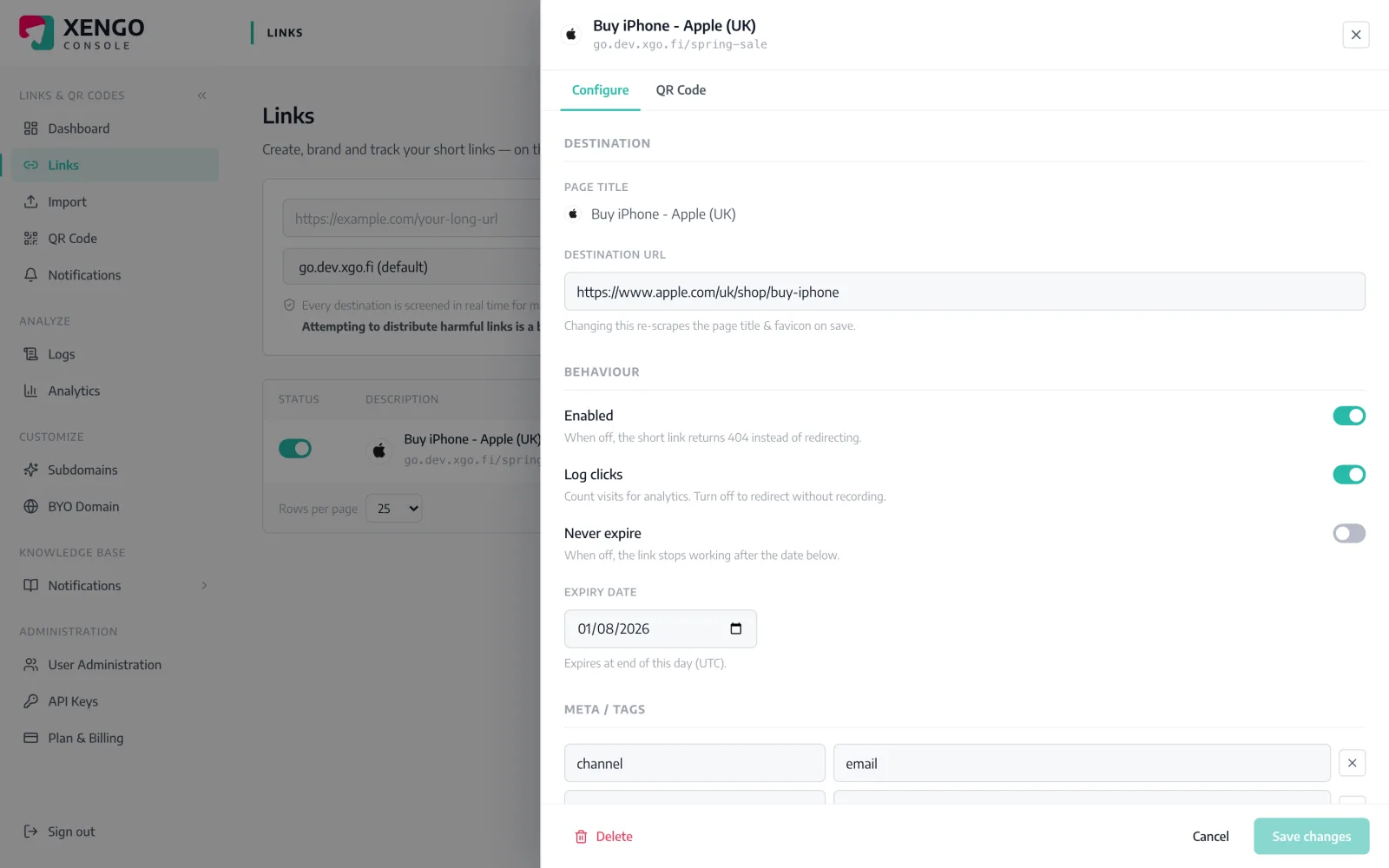
Open any link or QR code in the console and tick the Cliq channels that should hear about it. Sales enquiries and warehouse scans never share a channel unless you want them to.

  • Per-link and per-QR routing — each code picks its channels
  • Several Cliq channels side by side, each with its own webhook
  • Rerouting applies from the very next scan
Every delivery on the record

Every delivery on the record

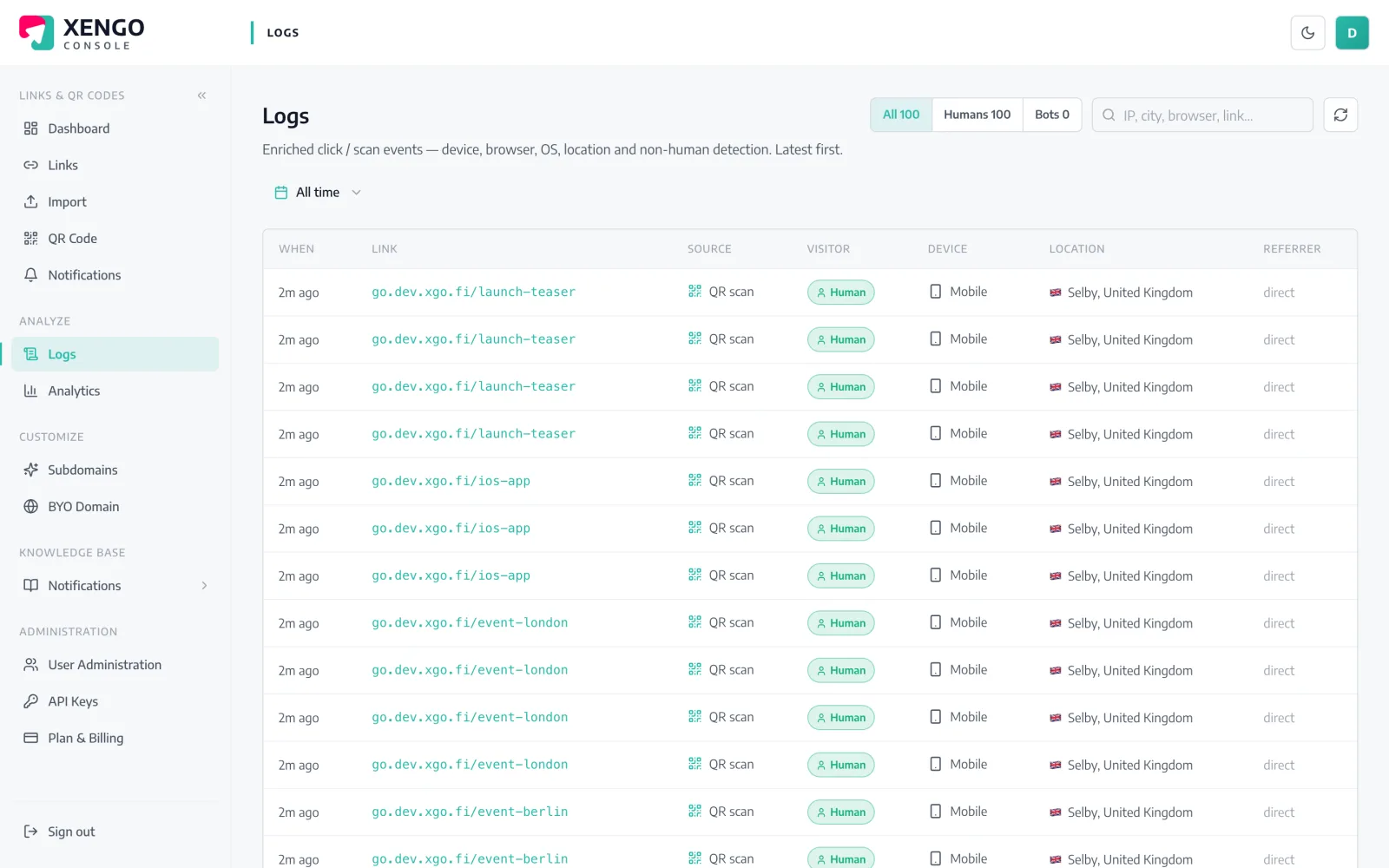
Each post to Cliq is logged with its HTTP response and attempt number. When a channel goes quiet, you check the log and know in seconds whether codes stopped being scanned or a webhook token was revoked.

  • Response codes per attempt, retries included
  • Failures are visible, never silently swallowed
  • One log across every channel type you run

The details that make it dependable

Seconds from scan to Cliq

The event is processed and posted immediately after the redirect — the message typically reaches your channel within a couple of seconds.

Messages that explain themselves

Link title, short URL, click vs QR scan, destination, timestamp, device and your tags — readable without opening anything else.

Lenient URL validation

The Cliq webhook field accepts any http(s) URL, so non-standard Zoho data-centre domains and unusual setups don't fight the validator.

Six-attempt retry ladder

A failed post retries with growing backoff — up to six attempts over roughly 43 minutes — and every attempt is a delivery-log row.

Tags as routing context

Tag links with branch, product or campaign codes and each Cliq message carries them — a busy channel stays scannable.

Cliq plus everything else

The same scan can also send an email, push to a phone or hit a signed webhook — add listeners without touching the Cliq channel.

Frequently asked questions

Do I need a Zoho Marketplace extension or a Deluge script?

No. xengo posts a plain message to your Cliq channel's incoming-webhook URL — there's nothing to install in Zoho and no script to maintain. Set up the webhook in Cliq once, paste the URL, done.

Can I alert different Cliq channels for different QR codes?

Yes. Create a webhook URL per Cliq channel, add each one as its own xengo channel, then attach them per link or QR code in the console. To send everything to one channel, tick it on every link — routing always lives on the link.

What exactly does the Cliq message contain?

The link's title, the short URL, the source (direct click or QR scan), the destination, the time (UTC) and — where available — the device and your custom tags. The same facts the analytics page records.

Is the delivery to Zoho Cliq signed?

No — the Cliq webhook is a text endpoint that ignores extra headers, so signing it would be for show. If your workflow needs verified events, run xengo's signed generic webhook alongside the Cliq channel; the same scan feeds both.

What happens if Cliq doesn't accept the message?

The attempt is logged with its response code and retried on a backoff ladder — up to six attempts in total, spanning roughly 43 minutes. Only email is deliberately never retried; Cliq gets the full ladder.

More chat & messaging

One platform. Everything a link should do.

Smart URLs, dynamic QR codes and a full API — branded on your own domain, safety-screened, and tracked. Build, re-point and measure it all in one place.

Start free trial
1,284 clicks
go.acme.com/spring
1 London 412
2 Manchester 168
3 Bristol 94

Smart URLs

Branded short links on a domain you control — editable, screened, and tracked.

Popular Smart URLs features

  • Your own custom domain, auto-HTTPS
  • Re-point live links without reprinting
  • Every destination safety-screened
  • Honest, bot-filtered analytics

Dynamic QR

Branded QR codes you can re-point any time — never reprint the poster again.

Popular Dynamic QR features

  • Editable destination behind every code
  • Your brand colours + logo
  • Real-time scan alerts
  • Per-code scan analytics
$ curl -X POST api.xengo.io/v1/links
{
  "domain": "go.acme.com",
  "url": "https://acme.com/…"
}
→ 201 go.acme.com/aB3xK

API

Create and manage links + QR at scale, straight from your own tools.

Popular API features

  • REST API with scoped keys
  • Bulk-create thousands of links
  • Programmatic QR generation
  • Webhooks + click / scan alerts

Add scans to your Zoho picture

14-day free trial, card required, cancel anytime. One webhook URL from Cliq and the first test message lands.