
Own the chat. Hear the scan.

One incoming webhook connects xengo to the workspace you run yourself: every short-link click and QR scan posts to the Rocket.Chat channel you chose — code, destination, time, device — a couple of seconds after it happens. Whether your instance lives on your own metal or your own cloud makes no difference to us.

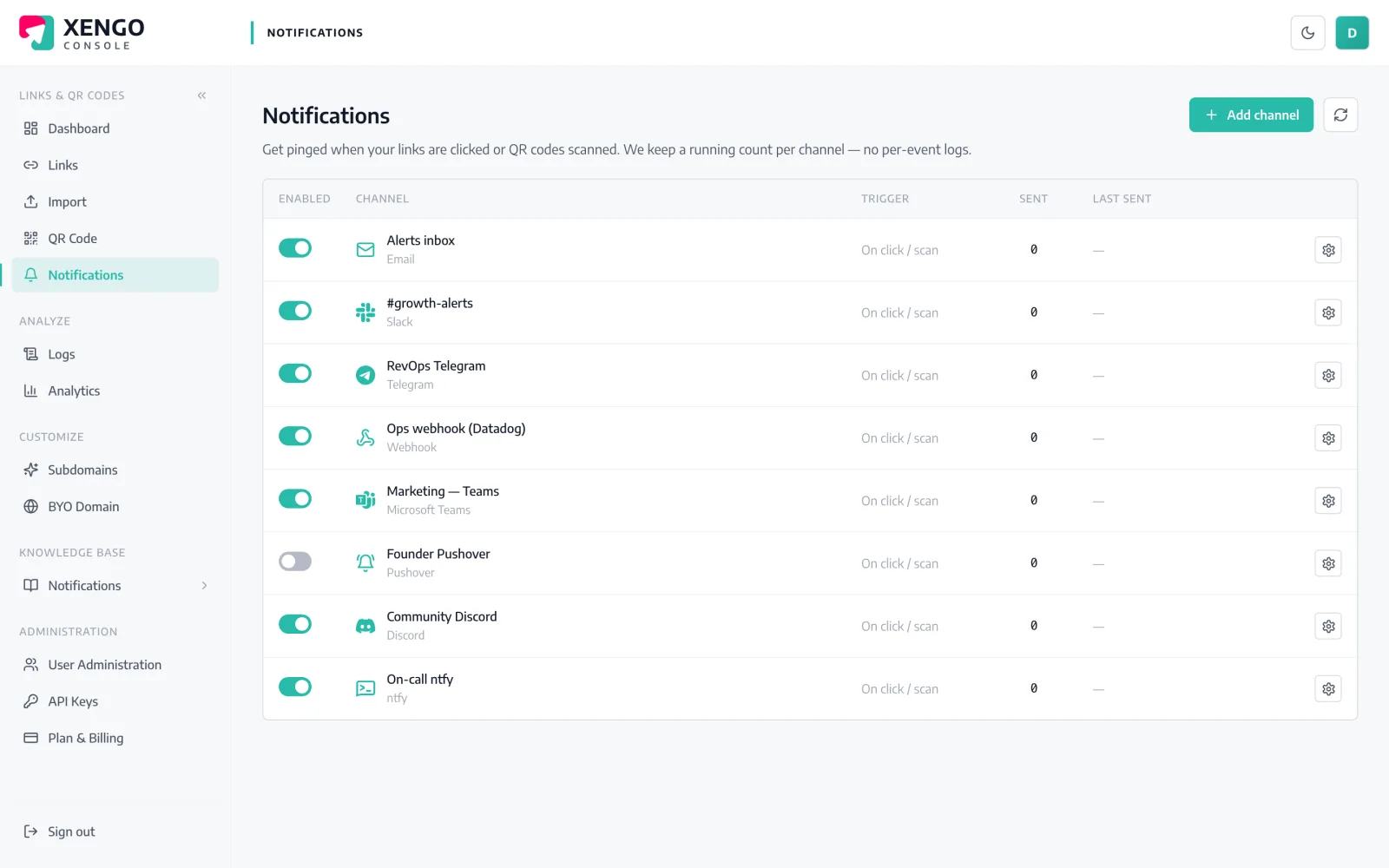
Rocket.Chat channel set-up in the xengo console
Admin panel, five clicks

One incoming webhook connects your workspace.

Rocket.Chat ships integrations in the admin area — no marketplace app, no server-side script required. Create an incoming webhook, point it at a channel, and give xengo the URL.

  1. 1

    Create an incoming webhook in Rocket.Chat

    Administration → Workspace → Integrations → New → Incoming. Enable it, choose the channel to post to (say #scans), set a poster name, save — and copy the /hooks/… URL Rocket.Chat generates.

  2. 2

    Add the channel in xengo

    Console → Notifications → Add channel → Rocket.Chat. Paste the URL into the Incoming Webhook URL field, name it, save — then hit Send test and confirm it lands in the channel.

  3. 3

    Choose its diet

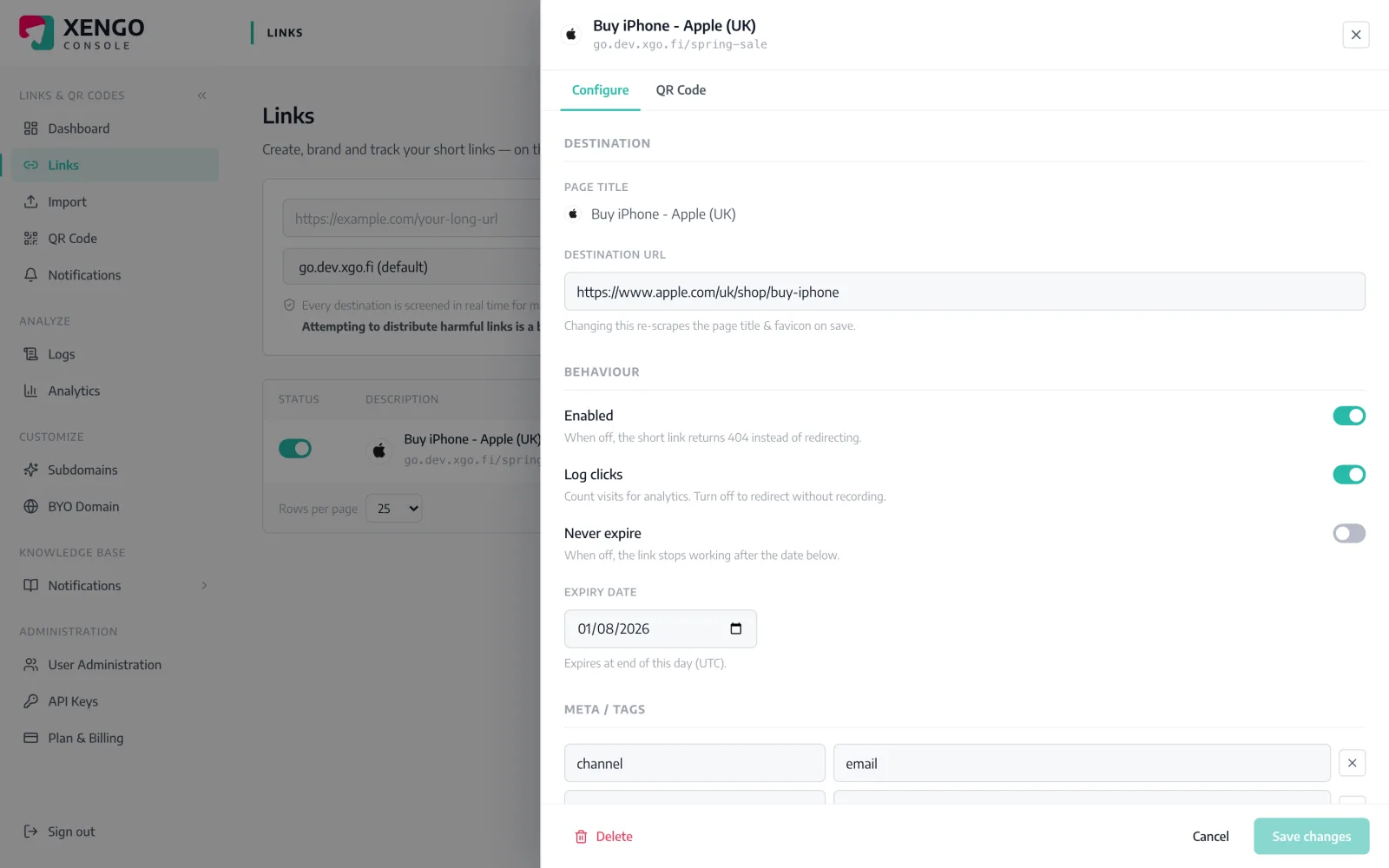
    Attach it to the links and QR codes it should hear about — public campaign codes in one channel, internal equipment labels in another. Routing is chosen per link, never by accident.

Documented like infrastructure

Documented like infrastructure

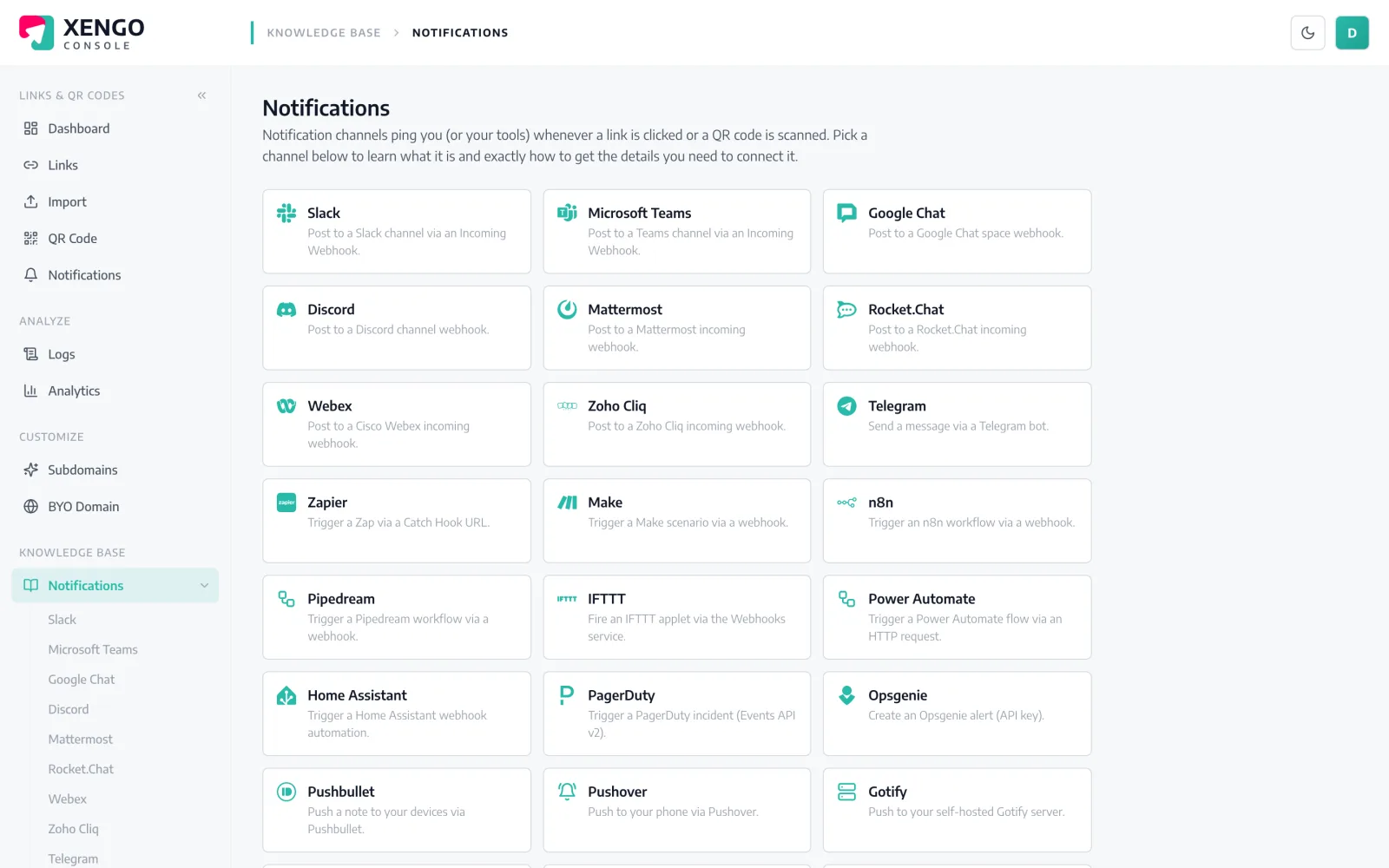
The notifications knowledge base walks through every channel type, field by field — the kind of documentation self-hosting teams expect, because you shouldn't have to reverse-engineer an integration you depend on.

  • Step-by-step setup docs for all 24 channel types
  • The exact fields the console asks for, explained
  • Written for the person doing it, not the person selling it
Per-link routing, not a firehose

Per-link routing, not a firehose

Open any link or QR code and tick the Rocket.Chat channels that should hear about it. Different codes, different channels, one console — and rerouting takes effect on the very next scan.

  • Attach channels per link or per QR code — each code picks its listeners
  • Run several webhooks into different Rocket.Chat channels
  • Combine with signed webhooks for machine consumers

The details that make it dependable

http or https — your call

Rocket.Chat webhook URLs are validated leniently: plain http is accepted, so instances on internal CAs or bare domains aren't blocked at setup.

Live, not batched

Each scan is processed and posted immediately — the message typically reaches your workspace within a couple of seconds.

Full-context messages

Link title, short URL, click vs QR scan, destination, timestamp, device and your tags — everything the channel needs to act.

Retries with receipts

Failed posts retry on a backoff ladder for up to six attempts, and every attempt — success or failure — is a row in the delivery log.

Named and pausable

Each Rocket.Chat webhook is its own named channel in the console, with send counts and a pause switch that preserves configuration.

Plays well with others

The same scan can also trigger n8n, hit a signed webhook or send an email — one event, as many listeners as you configure.

Frequently asked questions

Does xengo work with a self-hosted Rocket.Chat workspace?

Yes — self-hosted is the expected case. xengo POSTs the message to the incoming-webhook URL you paste, http or https. The only requirement is that the URL is reachable from the internet, since deliveries originate from xengo's infrastructure.

Do I need a Rocket.Chat app or custom script?

No. This uses Rocket.Chat's built-in incoming webhooks with their default behaviour — no marketplace app, no custom integration script to maintain. The message posts as plain text under whatever name you gave the webhook.

Can different QR codes post to different channels?

Yes. Create one incoming webhook per Rocket.Chat channel, add each URL as its own xengo channel, then attach them per link or QR code. If one channel should see it all, tick it on every link — routing always lives on the link.

Is the delivery to Rocket.Chat signed?

No — incoming webhooks accept a text payload and ignore extra headers, so signing them would be theatre. If you need cryptographically verifiable events, add xengo's signed generic webhook alongside; the same scan feeds both, and that one carries Svix-compatible signature headers.

What if my workspace is offline during an upgrade?

xengo retries failed posts on a backoff ladder — up to six attempts spanning roughly 43 minutes — and logs each one with its response code. An upgrade window shorter than that costs you nothing; a longer outage is at least fully visible in the log.

More chat & messaging

One platform. Everything a link should do.

Smart URLs, dynamic QR codes and a full API — branded on your own domain, safety-screened, and tracked. Build, re-point and measure it all in one place.

Start free trial
1,284 clicks
go.acme.com/spring
1 London 412
2 Manchester 168
3 Bristol 94

Smart URLs

Branded short links on a domain you control — editable, screened, and tracked.

Popular Smart URLs features

  • Your own custom domain, auto-HTTPS
  • Re-point live links without reprinting
  • Every destination safety-screened
  • Honest, bot-filtered analytics

Dynamic QR

Branded QR codes you can re-point any time — never reprint the poster again.

Popular Dynamic QR features

  • Editable destination behind every code
  • Your brand colours + logo
  • Real-time scan alerts
  • Per-code scan analytics
$ curl -X POST api.xengo.io/v1/links
{
  "domain": "go.acme.com",
  "url": "https://acme.com/…"
}
→ 201 go.acme.com/aB3xK

API

Create and manage links + QR at scale, straight from your own tools.

Popular API features

  • REST API with scoped keys
  • Bulk-create thousands of links
  • Programmatic QR generation
  • Webhooks + click / scan alerts

Wire scans into the workspace you run

14-day free trial, card required, cancel anytime. Create the webhook, paste the URL, send the test.